





Introdução
Did you buy a DDR5-6000 CL30 memory kit, enable XMP or EXPO, and then discover that your system is still running at DDR5-4800?
Or does your PC become unstable after enabling a memory profile?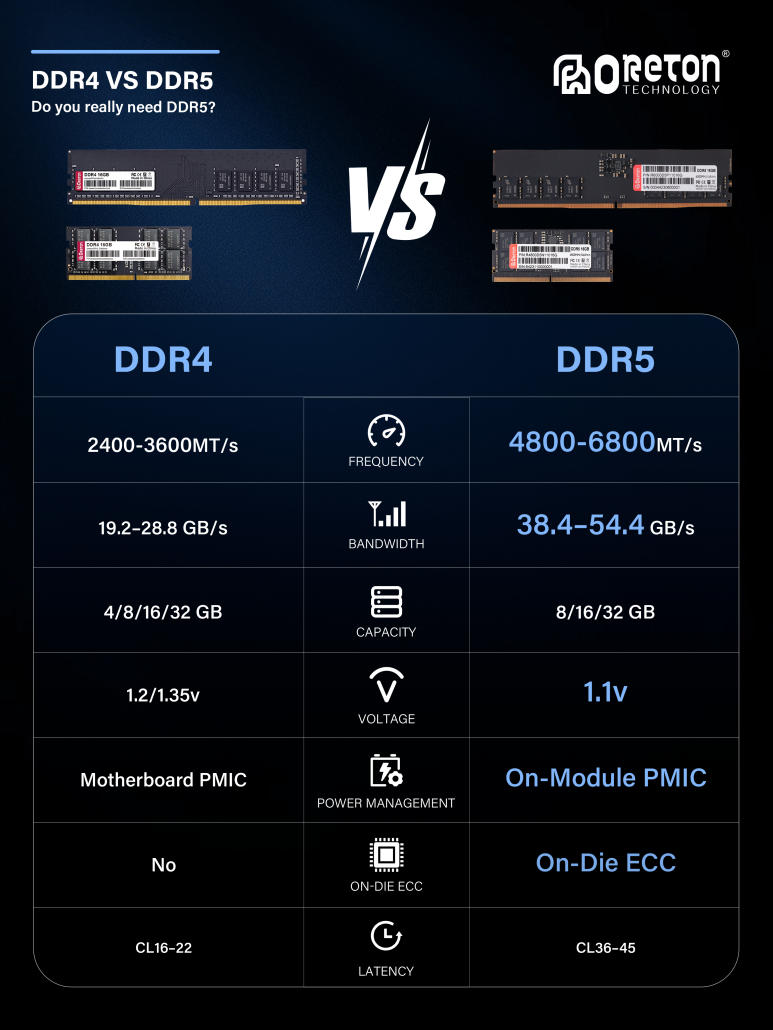
Os sintomas mais comuns incluem:
- The memory speed remains lower than the rated specification
- The PC fails to boot
- The system repeatedly restarts
- Blue screens appear
- Games crash unexpectedly
- Applications become unstable
- Memory tests report errors
- The BIOS automatically returns to default memory settings
These issues do not necessarily mean that the memory module is defective.
XMP (Intel Extreme Memory Profile) and EXPO (AMD Extended Profiles for Overclocking) are preset memory profiles designed to make higher-performance memory configurations easier to apply. They define parameters such as memory data rate, timings and voltage, allowing compatible systems to run memory above standard default settings.
However, one important point is often misunderstood:
A memory kit’s rated speed does not necessarily mean that the system will run at that speed by default.
For example, a DDR5-6000 memory kit may boot at a lower JEDEC-standard speed such as DDR5-4800. DDR5-6000 may be the speed specified by its XMP or EXPO profile.
If XMP or EXPO does not work correctly, the problem can involve several parts of the platform, including the memory module, CPU memory controller, motherboard, BIOS and DIMM configuration.
1. What Is XMP?
XMP stands for:
Intel Extreme Memory Profile
XMP is a technology developed by Intel to simplify memory overclocking.
Without a predefined memory profile, users may need to manually configure parameters such as:
- Memory Data Rate
- DRAM Voltage
- CAS Latency
- tRCD
- tRP
- tRAS
- Other memory timings
An XMP profile stores predefined memory settings so that the motherboard can automatically apply them through the BIOS.
For example, a memory module may have:
Default / JEDEC
DDR5-4800
and:
XMP Profile
DDR5-6000
CL30
1.35V
After selecting the XMP profile, the motherboard attempts to operate the memory using those predefined parameters.
This makes higher-performance memory configurations much easier for users to apply without manually configuring every timing and voltage value.
2. What Is EXPO?
EXPO stands for:
AMD Extended Profiles for Overclocking
It is AMD’s memory overclocking profile technology, primarily designed for DDR5 memory on AMD Ryzen platforms.
Like XMP, an EXPO profile can contain predefined settings for:
- Memory Data Rate
- Memory Timings
- Tensão
- Other memory-related parameters
Por exemplo:
DDR5-6000 CL30
may be the target configuration defined by an EXPO profile, while the system initially boots using a lower JEDEC-standard configuration.
The goal is similar to XMP:
Predefined Profile → BIOS Configuration → Higher Memory Performance
However, the final result still depends on the entire hardware platform.
3. XMP vs EXPO: What’s the Difference?
XMP and EXPO are based on a similar concept, but they belong to different platform ecosystems.
| Feature | Intel XMP | AMD EXPO |
|---|---|---|
| Full Name | Intel Extreme Memory Profile | AMD Extended Profiles for Overclocking |
| Primary Platform | Intel | AMD Ryzen |
| DDR4 | Supported | Primarily focused on DDR5 |
| DDR5 | Supported | Supported |
| Main Purpose | Memory overclocking profiles | Memory overclocking profiles |
| Configuração | BIOS/UEFI | BIOS/UEFI |
| Typical Parameters | Data rate, timings, voltage | Data rate, timings, voltage |
The actual compatibility depends on the combination of:
Memory + CPU + Motherboard + BIOS
A memory kit that works well on one platform may not necessarily achieve the same result on another platform.
4. Why Is My RAM Still Running at a Lower Speed?
This is one of the most common questions about XMP and EXPO.
Suppose you purchase:
DDR5-6000
But after installing it, your system reports:
DDR5-4800
This does not automatically indicate a problem.
The system may simply be running at the default JEDEC configuration rather than the XMP/EXPO profile.
A useful way to understand the difference is:
JEDEC Default → Standard Compatibility Settings
XMP/EXPO → Higher-Performance Profile
Por exemplo:
DDR5-4800
may be the default configuration, while:
DDR5-6000 CL30
may be the memory manufacturer’s XMP or EXPO profile.
Therefore:
A memory kit can be correctly functioning even when it initially runs below its advertised performance profile.
5. How to Check Whether XMP/EXPO Is Actually Working
Do not rely only on the BIOS setting that says:
XMP Enabled
or:
EXPO Enabled
It is also important to verify the actual memory operating parameters after entering the operating system.
Hardware monitoring and system information tools can show:
- Memory Data Rate
- DRAM Frequency
- Memory Timings
- DRAM Voltage
There is one important detail to understand when checking DDR memory.
DDR stands for:
Taxa de dados dupla
The effective data rate is approximately twice the actual memory clock.
Por exemplo:
DDR5-6000
has an effective data rate of:
6000 MT/s
while the actual memory clock is approximately:
3000 MHz
Therefore, if a monitoring tool reports:
DRAM Frequency ≈ 3000 MHz
that normally corresponds to:
DDR5-6000
Similarly:
DRAM Frequency ≈ 2400 MHz
normally corresponds to:
DDR5-4800
So when checking memory performance:
Look at the effective data rate rather than assuming that the MHz value shown by a monitoring tool is the DDR data rate.
6. Cause #1: XMP/EXPO Was Never Enabled
The simplest explanation is also one of the most common.
A user purchases high-speed memory, installs it, and starts using the PC without changing the BIOS settings.
The motherboard then uses its default JEDEC configuration.
Por exemplo:
Memory Rating: DDR5-6000
but:
Default Operating Speed: DDR5-4800
The general process is:
- Restart the PC
- Enter the BIOS/UEFI
- Find the memory or DRAM settings
- Locate XMP or EXPO
- Select the appropriate profile
- Save the settings
- Restart the system
- Check the actual memory data rate in the operating system
The exact BIOS menu name varies between motherboard manufacturers.
7. Cause #2: The Motherboard Does Not Support the Required Profile
Not every motherboard provides the same memory overclocking capabilities.
If you cannot find an XMP or EXPO option in the BIOS, check:
- Motherboard model
- Chipset
- BIOS version
- Memory specification
- Motherboard memory support list
- XMP/EXPO support
It is especially important to check the motherboard manufacturer’s QVL (Qualified Vendor List, lista de fornecedores qualificados) when selecting high-speed memory.
A QVL can provide useful information about memory kits that have been tested with a particular motherboard.
Therefore:
Before purchasing a high-speed memory kit, check whether the target motherboard supports the desired memory configuration.
8. Cause #3: CPU Memory Controller Limitations
One of the most overlooked factors in memory performance is the CPU’s integrated memory controller.
The memory system can be simplified as:
DRAM → Memory Module → Motherboard → Memory Controller → CPU
The memory controller inside the CPU plays an important role in determining what memory configurations the system can run reliably.
For example, a memory kit may be rated for:
DDR5-7200
but that does not guarantee that every CPU and motherboard combination will run it at DDR5-7200.
Actual stability can be affected by:
- CPU memory controller capability
- CPU memory controller quality
- Design da placa-mãe
- BIOS version
- DIMM count
- Memory Rank
- Memory capacity
- DRAM IC
- PCB design
- Memory timings
É por isso que:
The rated speed of a memory module is a target configuration for the module, not a guarantee that every platform will achieve the same speed.
9. Cause #4: Too Many DIMMs Can Reduce Memory Stability
The number of installed memory modules can have a significant impact on high-speed memory operation.
Por exemplo:
2 × 16GB
may run successfully at:
DDR5-6000
while:
4 × 16GB
may require a lower operating speed.
Why?
Adding more DIMMs increases the electrical load on the memory system and can make high-frequency signal transmission more challenging.
Consequentemente:
2 DIMMs ≠ 4 DIMMs
Even if the individual memory modules have identical specifications, the maximum stable operating speed may be different.
This is one reason why users may experience:
XMP/EXPO works with two memory modules but becomes unstable with four.
This does not necessarily indicate defective memory.
It can be the result of the combined limitations of:
CPU Memory Controller + Motherboard + DIMM Configuration
10. Cause #5: Memory Compatibility Issues
Memory compatibility is more complicated than simply matching:
DDR5 + DDR5 = Compatible
Actual compatibility can involve:
- DRAM IC
- Memory Density
- Rank Configuration
- PCB Design
- Memory Timings
- Tensão
- CPU
- Motherboard
- BIOS
Two DDR5 memory kits with the same advertised speed can use different internal configurations.
For example, two:
DDR5-6000
kits may have different:
- DRAM ICs
- PCB layouts
- Primary timings
- Voltage requirements
- Rank configurations
As a result, their behavior on a particular platform may not be identical.
É por isso que:
A memory kit that runs DDR5-6000 reliably on one motherboard may not necessarily achieve the same result on another motherboard.
11. Cause #6: BIOS Version Is Too Old
BIOS updates can significantly improve memory compatibility and stability.
Motherboard manufacturers may use BIOS updates to improve:
- Memory Training
- DRAM Compatibility
- XMP/EXPO Support
- High-Frequency Memory Stability
- CPU Compatibility
- Memory Compatibility
If you are using a newer DDR5 memory kit with an older motherboard BIOS, you may experience:
- XMP/EXPO failing to boot
- Memory speed lower than expected
- Repeated memory training
- Falhas aleatórias
- Telas azuis
- Automatic fallback to default settings
Therefore, when troubleshooting XMP/EXPO:
Checking whether the motherboard is running a suitable BIOS version should be one of the early troubleshooting steps.
Always follow the motherboard manufacturer’s instructions when performing a BIOS update.
12. Cause #7: The PC Will Not Boot After Enabling XMP/EXPO
A more serious situation occurs when the PC fails to boot after enabling a memory profile.
Symptoms may include:
- Black screen
- Repeated restarts
- Boot loops
- Failure to enter the operating system
- Automatic recovery to default memory settings
This usually indicates that the current memory configuration could not successfully complete the platform’s initialization or memory training process.
Possible causes include:
- Memory frequency is too high
- Timings are too aggressive
- Voltage configuration is unsuitable
- CPU memory controller limitations
- Problemas de compatibilidade com o BIOS
- Too many DIMMs
- Mixed memory kits
- Platform-specific compatibility issues
Modern platforms perform memory training during startup to determine whether the selected memory configuration can initialize successfully.
If training fails, the motherboard may revert to a safer configuration.
Therefore:
XMP/EXPO failing to boot does not automatically mean that the memory module is defective.
13. Cause #8: Blue Screens or Crashes After Enabling XMP/EXPO
Sometimes the PC can boot successfully but becomes unstable later.
Possible symptoms include:
- Telas azuis
- Game crashes
- Application crashes
- Reinicializações aleatórias
- File compression errors
- Memory test errors
- System freezes
This can indicate that the memory configuration is not completely stable.
A high-performance configuration such as:
DDR5-6000 CL30
places greater demands on the complete memory subsystem than a lower-speed JEDEC configuration.
The important point is:
Booting into Windows does not automatically prove that a high-speed memory configuration is stable.
A system may appear normal during light use but fail under sustained memory-intensive workloads.
14. What Should You Do If XMP/EXPO Is Unstable?
If enabling XMP or EXPO causes instability, troubleshoot the system step by step.
Step 1: Return to Default Settings
First, disable XMP/EXPO and confirm whether the system is stable at its default JEDEC settings.
If the system is completely stable at default settings but becomes unstable after enabling the profile, the problem is more likely related to the higher-performance memory configuration.
Step 2: Update the BIOS
Check whether the motherboard manufacturer has released a newer BIOS version that improves:
- Memory compatibility
- Memory stability
- CPU support
- Memory training
- XMP/EXPO compatibility
Follow the manufacturer’s BIOS update procedure carefully.
Step 3: Reduce the Number of DIMMs
If you are currently using:
4 × DIMM
try:
2 × DIMM
and test the system again.
This can help determine whether DIMM loading is contributing to the instability.
Step 4: Lower the Memory Data Rate
If:
DDR5-6400
is unstable, you can test:
DDR5-6200
or:
DDR5-6000
depending on the platform.
Reducing the memory data rate does not automatically mean that the memory module is defective.
It may simply indicate that the current:
CPU + Motherboard + Memory
combination is more stable at a lower data rate.
Step 5: Test System Stability
Do not assume that the configuration is stable simply because Windows starts normally.
Test the system using:
- Memory stress tests
- Extended gaming sessions
- Large file compression/decompression
- Content creation workloads
- Multitarefa
- Other memory-intensive applications
Look for:
- Errors
- Crashes
- BSODs
- Unexpected restarts
- Data corruption
15. Why Can Lowering Memory Speed Improve Stability?
Memory stability depends on the entire platform.
For example, a memory kit may support:
DDR5-6400
but the system may be significantly more stable at:
DDR5-6000
This is not unusual.
The final operating result depends on:
DRAM + Memory Module + Motherboard + CPU IMC + BIOS + DIMM Configuration
rather than the DRAM module alone.
Therefore:
A stable DDR5-6000 configuration is generally more useful than an unstable DDR5-6400 configuration.
For gaming PCs, content creation systems and other computers that operate for long periods, stability should take priority over a small increase in peak memory speed.
16. Why Doesn’t an XMP/EXPO Profile Guarantee the Same Result on Every PC?
This is one of the most important concepts to understand when evaluating high-performance memory.
Suppose a memory kit is specified as:
DDR5-6000 CL30
This means the memory module has a profile designed to operate at:
DDR5-6000 CL30
under the appropriate conditions.
However, whether the system can actually run that configuration depends on:
CPU
Memory Controller
Motherboard
BIOS
DIMM Configuration
Memory Compatibility
and other platform factors.
Therefore:
A memory profile defines a tested performance configuration for the memory module, while actual system stability depends on the complete platform.
This distinction is especially important when comparing memory products for different PC platforms.
17. XMP/EXPO vs JEDEC: What’s the Difference?
Understanding JEDEC helps explain why a DDR5-6000 memory kit may initially run at DDR5-4800.
JEDEC
JEDEC defines industry standards for memory operation, including standardized speeds, timings and other electrical parameters.
Default system configurations generally prioritize broad compatibility and reliable startup.
XMP / EXPO
XMP and EXPO provide predefined higher-performance configurations.
A simplified comparison is:
JEDEC → Standard Compatibility Configuration
XMP/EXPO → Higher-Performance Profile
Por exemplo:
DDR5-4800
may be the default JEDEC configuration.
While:
DDR5-6000 CL30
may be the XMP/EXPO configuration.
Therefore, seeing a lower memory speed before enabling the profile does not necessarily indicate a defective product.
18. Is It Worth Enabling XMP/EXPO?
For users who want to take advantage of a high-performance memory kit, enabling a compatible XMP or EXPO profile can provide an easy way to apply the memory manufacturer’s intended performance configuration.
Instead of manually configuring every memory parameter, the motherboard can load the predefined profile.
However, stability should always come first.
If enabling XMP/EXPO causes:
- Telas azuis
- Crashes
- Boot failures
- Memory errors
- Reinicializações aleatórias
then running a slightly lower memory speed may be a better solution.
The goal should not simply be:
Highest Possible Data Rate
but:
High Performance + Stability + Compatibility
19. XMP/EXPO Stability Checklist
If you have just purchased a high-speed DDR4 or DDR5 memory kit, use the following checklist.
① Check the Memory Specification
Por exemplo:
DDR5-6000 CL30
② Check Motherboard Support
Review:
- Motherboard QVL
- Memory Support List
- XMP/EXPO Support
- Supported memory configurations
③ Check the CPU
Consider the CPU’s integrated memory controller and the platform’s supported memory configuration.
④ Update the BIOS
Especially when using a new-generation CPU, motherboard or memory kit.
⑤ Enable XMP/EXPO
Select the appropriate profile in BIOS.
⑥ Check the Actual Operating Speed
Verify the memory data rate after entering the operating system.
⑦ Test Stability
Make sure:
Higher Data Rate ≠ Guaranteed Stability
⑧ Troubleshoot If Necessary
Try:
BIOS Update → Compatibility Check → Fewer DIMMs → Lower Data Rate → Stability Testing
20. What Do Memory Manufacturers Need to Consider?
For memory manufacturers, XMP/EXPO development involves much more than simply programming a higher frequency into the memory profile.
A high-performance memory module needs to consider:
DRAM IC
Memory Density
Module PCB
Rank Configuration
SPD / Profile Programming
Memory Timings
Tensão
Thermal Characteristics
Compatibilidade de plataforma
Production Consistency
Different DRAM ICs can have different frequency and timing characteristics.
Even two modules rated at:
DDR5-6000
may use different:
- DRAM ICs
- PCB designs
- Horários
- Voltages
- Rank configurations
As a result, the final platform behavior can differ.
High-performance memory development is therefore not simply about achieving:
Higher Frequency
It requires a balance between:
Data Rate + Timings + Voltage + Compatibility + Stability
21. Why Memory Module Design Matters
For OEMs, PC builders and memory manufacturers, the memory module itself plays an important role in achieving stable high-speed operation.
The final product can be influenced by:
DRAM IC Selection
Different DRAM ICs can have different performance characteristics, frequency potential and timing behavior.
PCB Design
The module PCB affects signal integrity and can become increasingly important as memory speeds increase.
Rank Configuration
Single-rank and dual-rank configurations can behave differently depending on the platform and workload.
SPD / Profile Configuration
Correct profile programming is necessary so that the motherboard can identify and apply the intended memory settings.
Thermal Design
Higher data rates and operating voltages can increase thermal requirements, making thermal management another consideration for high-performance memory products.
Production Consistency
For OEM and distribution customers, achieving the rated specification is only part of the requirement.
Maintaining consistent performance across production batches is equally important.
22. Oreton’s Approach to DDR4 and DDR5 Memory
Em Oreton, we focus on the complete memory architecture rather than looking at memory frequency as an isolated specification.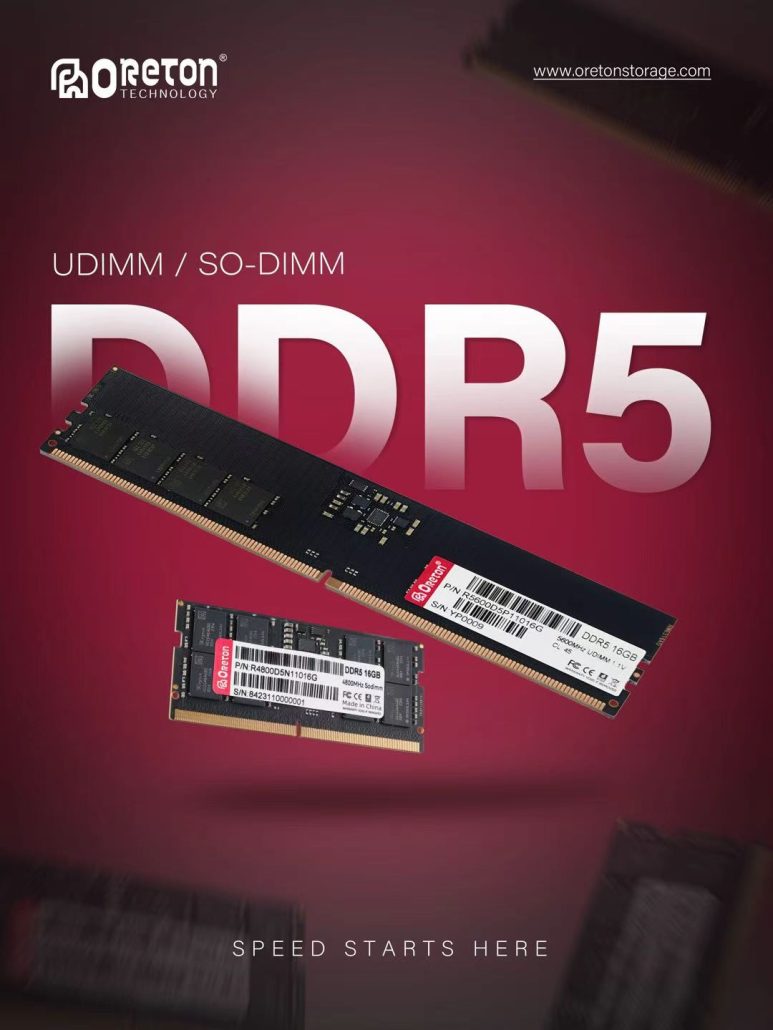
Our approach to DDR4 and DDR5 memory solutions considers factors such as:
- DRAM IC selection
- Module design
- PCB
- Memory density
- Rank configuration
- SPD and memory profiles
- Horários
- Tensão
- Thermal characteristics
- Platform compatibility
- Production consistency
For OEMs, distributors and PC system builders, the key question is not simply:
“Can this memory reach DDR5-6000?”
It is also:
“Can it run reliably, consistently and predictably on the target platform?”
This is why high-performance memory should be evaluated through:
Compatibility + Stability + Consistency
rather than peak data rate alone.
Conclusão
If XMP or EXPO does not work as expected, do not immediately assume that the memory module is defective.
First check:
- Whether XMP/EXPO is actually enabled
- Whether the motherboard supports the desired configuration
- Whether the CPU memory controller can handle the target data rate
- Whether the BIOS is up to date
- Whether the number of DIMMs is affecting stability
- Whether the memory kit is compatible with the platform
- Whether the system has passed stability testing
If enabling XMP/EXPO causes boot failures, crashes, blue screens or memory errors, troubleshoot the configuration step by step:
Update BIOS → Check Compatibility → Reduce DIMMs → Lower Data Rate → Test Stability
The key principle is:
A memory kit’s rated data rate represents its intended performance configuration, while the final stable operating speed depends on the entire memory platform.
For DDR4 and DDR5 memory, a strong product is not simply one with the highest MT/s rating. It should provide a balanced combination of:
Performance + Timings + Compatibility + Stability + Consistency
XMP and EXPO make high-performance memory configurations easier to apply, but the final user experience still depends on how well the memory module works together with the CPU, motherboard, BIOS and overall system configuration.