





Understanding NAND Parallelism and Real-World Differences Between 1TB and 2TB SSDs

When comparing solid-state drives, many users focus on interface speed, controller models, or advertised read and write speeds. However, one factor that is often overlooked is SSD capacity.
In reality, the capacity of an SSD can directly influence its performance. For example, a 2TB SSD often performs better than a 1TB version of the same model, even though both drives use the same controller and interface.
This difference is not simply a matter of storage space—it is closely related to how NAND flash memory is organized and accessed internally.
Understanding this relationship can help users choose storage solutions that better match their workloads.
NAND Flash Architecture and Parallelism
To understand why capacity can influence performance, it is important to look at how SSDs are structured internally.
A typical SSD contains several key components:
-
Controllore
-
DRAM or cache memory
-
Multiple NAND flash packages
Each NAND package contains several dies, which are the actual storage units where data is written.
The SSD controller communicates with these NAND dies through multiple channels, allowing it to read and write data in parallel.
This architecture is similar to a multi-lane highway: the more lanes available, the more traffic can move simultaneously.
Why Larger SSDs Often Have More NAND Dies
Higher-capacity SSDs usually include more NAND flash dies than smaller versions of the same model.
Ad esempio:
| Capacità dell'SSD | Typical NAND Configuration |
|---|---|
| 512 GB | fewer NAND packages |
| 1TB | moderate number of NAND dies |
| 2TB | significantly more NAND dies |
Because the controller can access more NAND dies at the same time, larger SSDs can take advantage of greater parallelism, which improves overall throughput.
This often results in:
-
higher sequential write speeds
-
better sustained performance
-
improved multitasking performance
Even when the controller and firmware are identical.
The Role of NAND Parallelism in Performance
SSD controllers are designed to distribute data across multiple NAND channels and dies.
When more NAND dies are available, the controller can:
-
read multiple blocks simultaneously
-
write data in parallel
-
reduce latency in heavy workloads
For example, during large file transfers, a 2TB SSD may maintain higher speeds because the controller has more NAND resources available to distribute the workload.
In contrast, a smaller capacity drive may reach its internal limits more quickly.
SLC Cache Behavior Can Also Differ
Another reason capacity can influence performance is related to SLC caching.
Many modern SSDs use a portion of NAND flash in SLC mode to accelerate write operations. This temporary cache helps deliver high burst write speeds before data is moved to slower TLC or QLC storage.
Larger SSDs usually have:
-
larger SLC cache regions
-
more free NAND blocks
As a result, higher-capacity drives often sustain peak performance for longer periods during large write operations.
Differenze di prestazioni nel mondo reale
In many consumer SSD product lines, benchmark results demonstrate that larger capacities can outperform smaller versions.
For example, in some NVMe SSD series:
-
1TB models may reach write speeds around 5000–6000 MB/s
-
2TB models may sustain higher write speeds or maintain them longer
Random I/O performance can also benefit from higher NAND parallelism, especially in workloads involving multiple simultaneous read and write operations.
However, it is important to note that these differences vary depending on controller design, firmware optimization, and NAND type.
When Capacity Makes the Biggest Difference
Capacity-related performance differences are most noticeable in workloads such as:
-
Trasferimenti di file di grandi dimensioni
-
video editing and content creation
-
heavy multitasking
-
installazioni e aggiornamenti del gioco
-
data-intensive applications
In lighter workloads—such as web browsing or office tasks—the performance difference between capacities may be less noticeable.
Choosing the Right SSD Capacity
While performance advantages exist, choosing SSD capacity should still primarily depend on storage needs and workload requirements.
Larger drives offer several practical benefits:
-
more storage space
-
improved sustained performance
-
potentially longer endurance due to larger NAND pools
For users who frequently handle large files or demanding workloads, higher-capacity SSDs can provide both performance and longevity advantages.
Stability Matters Alongside Performance
While capacity and NAND parallelism can influence SSD speed, long-term performance and reliability depend on more than just raw specifications.
Controller design, firmware optimization, NAND quality, and production testing all play critical roles in ensuring stable operation across different systems and workloads.
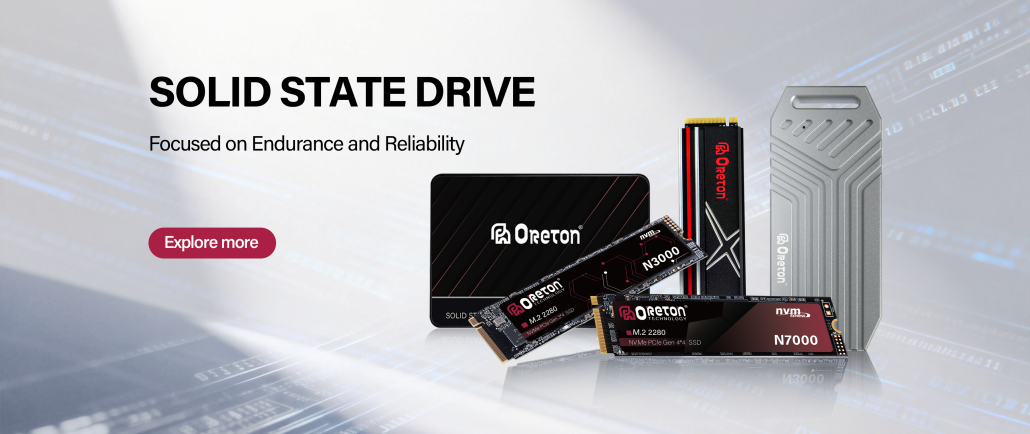
A Oreton, storage solutions are developed with a
focus on consistent performance and system compatibility. Through careful component selection and multiple validation stages before shipment, Oreton aims to deliver storage products designed for reliable operation in everyday computing environments.
As storage demands continue to grow alongside modern applications, balancing performance, capacity, and stability remains an essential part of SSD design.