





When people upgrade RAM, they often focus only on capacité ou vitesse. But one of the most overlooked factors in real-world system performance is whether the memory is running in single-channel ou dual-channel mode.
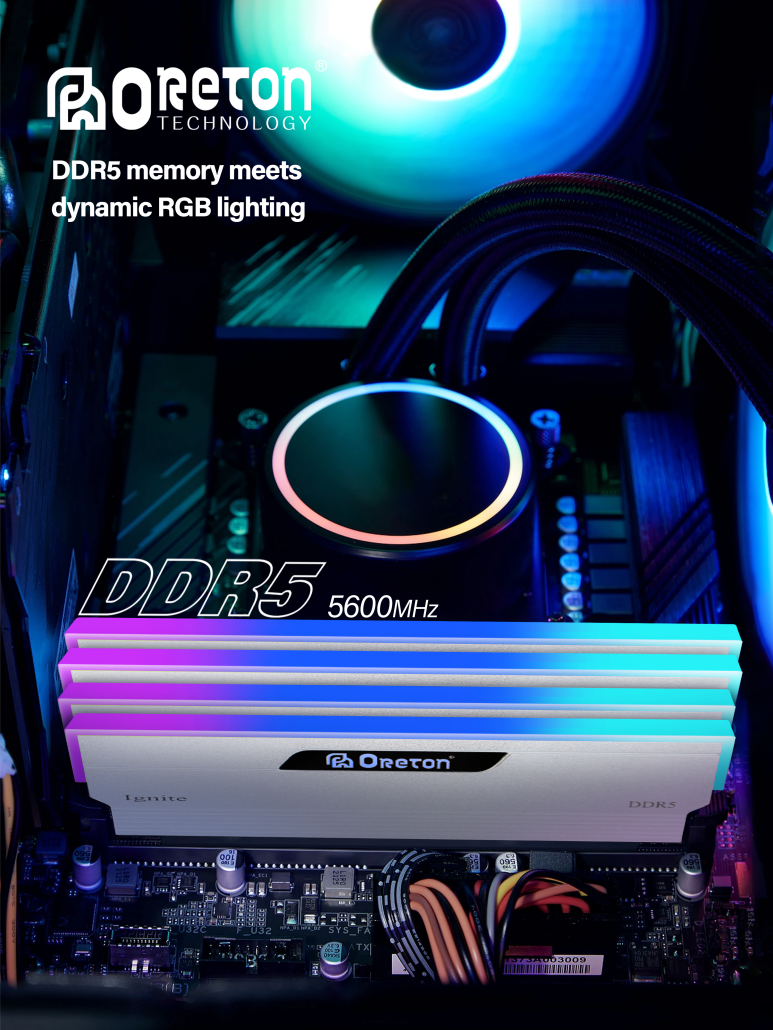
Many users install two RAM sticks and assume everything is working correctly — but that’s not always the case.
Incorrect installation, incompatible modules, motherboard limitations, BIOS settings, or laptop configurations can all prevent dual-channel mode from working properly.
And the performance difference can be larger than expected.
This guide explains in detail:
- what dual-channel memory actually is
- how it affects gaming and daily use
- how to check if it’s enabled
- why it sometimes doesn’t work
- common mistakes people make
- how DDR4 and DDR5 behave differently
1. What Is Dual Channel Memory?
Dual-channel memory allows the CPU to communicate with two memory channels simultaneously instead of one.
In simple terms:
👉 Single-channel = one data path
👉 Dual-channel = two parallel data paths
This effectively doubles memory bandwidth under supported conditions.
2. Why Dual Channel Matters
Many people underestimate how important memory bandwidth is.
Dual-channel can improve:
- gaming FPS consistency
- integrated graphics performance
- multitasking responsiveness
- application loading behavior
- CPU efficiency in memory-sensitive workloads
In some systems, dual-channel can provide a larger real-world improvement than upgrading to slightly faster RAM.
3. Single Channel vs Dual Channel: Real Performance Difference
🎮 Gaming
In gaming, the impact depends heavily on:
- game engine
- CPU dependency
- GPU strength
- memory configuration
Typical Results:
| Configuration | Relative Gaming Performance |
|---|---|
| Single-channel | Baseline |
| Dual-channel | 5–25% improvement |
The biggest gains appear in:
- esports games
- CPU-limited titles
- integrated graphics systems
💻 Daily Use
For browsing or office work:
- the difference is smaller
- but responsiveness can still improve during multitasking
Especially when:
- many browser tabs are open
- background apps are running
- memory usage is high
🎨 Content Creation
Applications like:
- Photoshop
- Premiere Pro
- Blender
- logiciel de CAO
benefit from increased memory bandwidth during:
- previews
- rendering
- caching
- timeline scrubbing
4. How Dual Channel Actually Works
Modern CPUs contain integrated memory controllers.
When compatible RAM modules are installed correctly, the memory controller distributes data across two channels simultaneously.
However:
👉 Dual-channel does NOT simply mean “two RAM sticks installed.”
The modules must usually meet certain conditions:
- compatible capacity
- matching layout
- proper slot placement
- motherboard support
5. How to Check If Your RAM Is Running in Dual Channel
✅ Method 1 — Task Manager (Basic Check)
Windows:
- Open Task Manager (
Ctrl + Maj + Échap) - Go to:
- Performance
- Mémoire
Some systems show:
- “Slots used”
- memory speed
- form factor
However:
👉 Task Manager usually does NOT clearly confirm dual-channel mode.
6. Best Method: CPU-Z
The easiest and most reliable method is:
🔧 CPU-Z
Under the Mémoire tab, look for:
“Channel #”
Possible results:
- Unique
- Dual
- Quad (high-end platforms)
If it says:
✅ Dual → dual-channel is active
❌ Unique → not running properly
7. BIOS Check
Some motherboards also show memory mode directly inside BIOS/UEFI.
Look for:
- DRAM status
- memory information
- channel mode
High-end motherboards often display:
- A1 / A2 / B1 / B2 population
- memory topology
- channel allocation
8. The Most Common Reason Dual Channel Doesn’t Work
❌ Wrong Slot Installation
This is extremely common.
Most motherboards with 4 DIMM slots require:
✅ A2 + B2
NOT
❌ A1 + A2
People often place RAM sticks side-by-side, which may disable dual-channel mode.
9. Laptop Dual Channel Is More Complicated
Laptops behave differently.
Some laptops:
- have soldered RAM
- combine onboard memory + removable module
- support flex mode instead of true dual-channel
Exemples :
| Configuration | Result |
|---|---|
| 8GB onboard + 8GB stick | dual-channel |
| 8GB onboard + 16GB stick | partial dual-channel |
| single RAM stick | single-channel |
10. What Is Flex Mode?
Flex mode is a hybrid configuration.
Exemple :
- first 8GB + 8GB run in dual-channel
- remaining capacity runs in single-channel
This is common in modern laptops.
Performance is better than pure single-channel, but not identical to true symmetrical dual-channel.
11. Does RAM Need to Match Exactly?
Not always — but matching helps.
Best-case setup:
- same capacity
- same speed
- same timings
- same rank layout
- same IC configuration
Mixing RAM may still work in dual-channel, but can introduce:
- instability
- fallback speeds
- compatibility problems
12. DDR4 vs DDR5 Dual Channel Differences
DDR5 changes memory architecture significantly.
DDR4 :
- one DIMM = one 64-bit channel
DDR5 :
- one DIMM internally split into two 32-bit subchannels
This improves efficiency and parallelism.
However:
👉 DDR5 still benefits from multi-module configurations.
Two DDR5 sticks remain superior to one stick in most performance scenarios.
13. Single Stick DDR5: A Common Mistake
Many users buy:
❌ 1×16GB DDR5
thinking future upgrades are easier.
But this often sacrifices:
- bandwidth
- gaming performance
- integrated graphics efficiency
In many systems:
✅ 2×8GB outperforms 1×16GB
despite having the same total capacity.
14. Integrated Graphics Depend Heavily on Dual Channel
This is one of the biggest real-world differences.
APUs and integrated GPUs use system RAM as video memory.
Single-channel severely limits bandwidth.
In some cases:
👉 dual-channel can improve iGPU gaming performance by 30–50%.
15. Signs Your System May Be Running Single Channel
Possible symptoms:
- lower-than-expected FPS
- unusually weak integrated graphics performance
- inconsistent benchmark results
- lower memory bandwidth scores
- CPU underperformance in games
16. Benchmark Tools to Verify Performance
Useful tools:
- CPU-Z
- AIDA64
- Cinebench
- 3DMark
- PassMark
AIDA64 memory bandwidth test especially makes channel differences obvious.
17. Is Dual Channel Always Worth It?
Pour la plupart des utilisateurs :
✅ Yes
Especially for:
- jeux vidéo
- multitasking
- laptops
- integrated graphics
- productivity systems
The performance gain per dollar is often excellent.
18. Final Takeaway
Dual-channel memory is one of the easiest performance optimizations many users accidentally miss.
And unlike aggressive overclocking or expensive upgrades:
👉 it often costs nothing extra — only correct configuration.
Before upgrading CPU or GPU, it’s worth checking whether your memory is actually running the way it should.
Because in many systems:
- largeur de bande de la mémoire
- channel configuration
- system balance
matter more than people realize.
À propos d'Oreton
At Oreton, we focus on memory solutions designed for both performance and real-world stability.
From DDR4 to high-frequency DDR5 modules, our products are tested for compatibility, consistency, and stable operation across different desktop and laptop platforms.
Because good hardware isn’t only about specifications —
it’s about how reliably everything works together.