


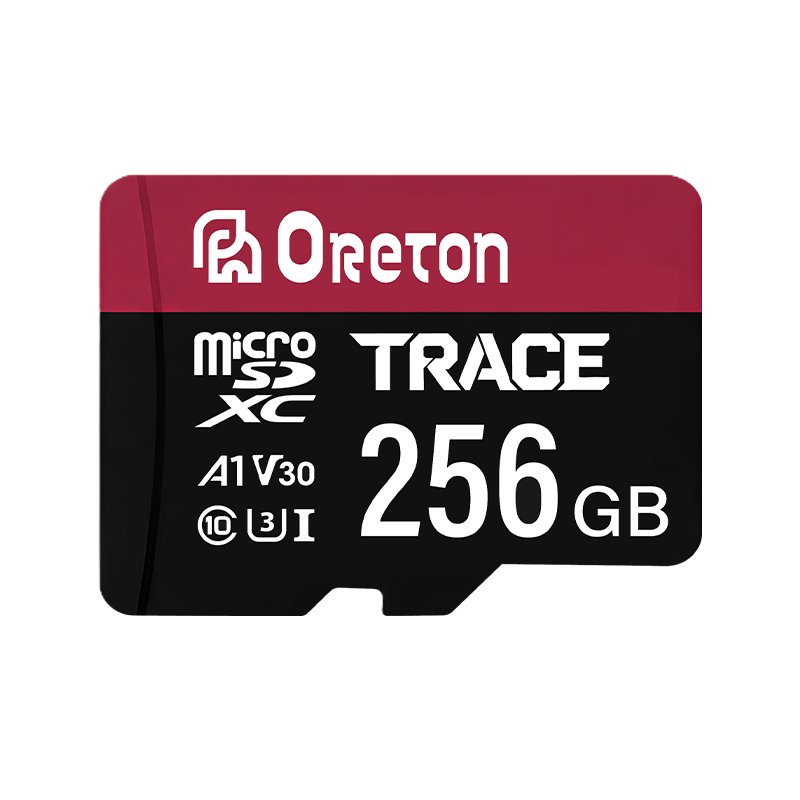


Enterprise SSDs and consumer SSDs may use similar storage technologies and interfaces, but they are designed for different workloads. While consumer SSDs prioritize affordability, responsiveness, and everyday performance, enterprise SSDs are engineered to meet the demands of server environments, continuous operation, and data-intensive applications.
For businesses selecting storage for PCs, workstations, servers, or embedded systems, comparing maximum read and write speeds is not enough. Endurance, power-loss protection, performance consistency, firmware design, and total cost of ownership can all affect whether a drive is suitable for a particular application.
Understanding these differences helps buyers choose storage that meets their technical requirements without paying for capabilities they may not need.
1. What Is an Enterprise SSD?
An enterprise SSD is a solid-state drive designed for business-critical infrastructure and demanding workloads. Typical applications include data centers, database servers, virtualization platforms, cloud infrastructure, and enterprise storage systems.
These environments may involve continuous operation, multiple concurrent users, intensive random read and write requests, and strict requirements for data integrity.
To support these conditions, enterprise SSDs may incorporate higher endurance ratings, advanced error handling, power-loss protection, detailed health monitoring, and firmware optimized for sustained workloads.
Enterprise SSDs are not defined by a single interface or physical form factor. Depending on the platform, they may use SATA or NVMe interfaces and different form factors, such as U.2, M.2, or EDSFF. The appropriate choice depends on the server architecture, performance requirements, and compatibility constraints.
Not every enterprise SSD offers the same features. Read-intensive, mixed-use, and write-intensive models can have significantly different endurance and performance characteristics.
2. What Is a Consumer SSD?
Consumer SSDs are designed primarily for laptops, desktop PCs, gaming systems, and everyday computing devices.
Their design typically balances performance, capacity, power efficiency, and cost. Common applications include operating system installation, software loading, gaming, document processing, media storage, and general file transfers.
Many consumer SSDs use SLC caching to accelerate short bursts of write activity. Data is initially written to a faster cache region, which can improve responsiveness during everyday tasks. Once that cache is exhausted, write performance may decrease, depending on the drive’s design, remaining capacity, and workload.
This behavior is not necessarily a defect. Consumer workloads often involve short periods of activity followed by idle time, making burst performance and cost efficiency important design priorities.
For most personal computers and many office systems, a properly selected consumer SSD can provide more than enough performance.
3. Enterprise SSD vs Consumer SSD: Key Differences
Although both product categories use NAND flash memory, they differ in how they handle workload intensity, reliability requirements, and long-term operation.
| Característica | Consumer SSD | Enterprise SSD |
|---|---|---|
| Primary applications | PCs, laptops, gaming systems | Servers, data centers, enterprise storage |
| Typical workload | Intermittent, burst-oriented activity | Sustained, concurrent, or application-specific workloads |
| Resistencia | Generally designed for light to moderate write workloads | Available in endurance classes for different write intensities |
| Performance focus | Responsiveness and peak performance | Sustained performance, latency consistency, and workload requirements |
| Protección contra pérdidas de potencia | Hardware-based protection is often absent, but varies by model | Hardware power-loss protection is available on many models |
| Firmware | Commonly optimized for client workloads and power efficiency | May include workload-specific management and enterprise monitoring |
| Health monitoring | Basic to advanced, depending on the product | Often includes more detailed telemetry and predictive health information |
| Purchase cost | Generally lower | Generally higher for comparable capacity or specialized features |
| Typical service requirements | Consumer and general-purpose computing | Continuous operation and demanding business applications |
These are general tendencies, not universal rules. Some consumer SSDs offer strong endurance and sustained performance, while some enterprise SSDs are optimized for read-intensive workloads rather than heavy writes.
The correct comparison should always be based on the specifications of the actual products being evaluated.
4. SSD Endurance: TBW and DWPD Explained
One of the most important differences between enterprise and consumer SSDs is write endurance.
NAND flash memory has a finite number of program-and-erase cycles. Over time, repeated writing and erasing can wear down the memory cells. SSD controllers use error correction, wear leveling, garbage collection, and other management techniques to help maintain reliability.
Manufacturers commonly describe SSD endurance using two metrics: TBW and DWPD.
What is TBW?
TBW stands for terabytes written. It represents the total amount of host data that a drive is rated to accept over its specified endurance or warranty period, according to the manufacturer’s conditions.
For example, consider a hypothetical 1TB SSD rated for 600 TBW. This indicates a rated write endurance of 600 terabytes under the manufacturer’s specified terms. It does not mean the drive will necessarily fail immediately after that amount of data has been written.
TBW is useful when comparing products with similar capacities and intended applications, but buyers should also examine warranty terms and workload assumptions.
What is DWPD?
DWPD stands for Drive Writes Per Day. It indicates how many times the drive’s full usable capacity can be written per day over a specified period, typically the warranty period.
A simplified calculation is:
Daily write allowance = Drive capacity × DWPD rating
For example, a hypothetical 3.84TB enterprise SSD rated at 1 DWPD over five years has a nominal daily write allowance of 3.84TB under its specified rating conditions.
The corresponding total is approximately 7,008TB over five years, assuming 365 days per year. Actual warranty terms and endurance calculations should be confirmed in the manufacturer’s datasheet.
DWPD is particularly useful for server workloads because it connects endurance directly to daily write activity.
Which endurance rating do you need?
The answer depends on how much data the application writes and how long the drive is expected to remain in service.
- Read-intensive applications: File distribution, read-heavy databases, and some content delivery workloads may require relatively modest write endurance.
- Mixed-use applications: Virtualization, transactional systems, and general-purpose servers may generate substantial combinations of reads and writes.
- Write-intensive applications: Data ingestion, write-heavy databases, and some logging or analytics workloads may require higher endurance.
A higher endurance rating is not automatically better for every application. Selecting an unnecessarily high endurance class can increase procurement costs without delivering meaningful benefits.
For a more detailed understanding of SSD specifications and application requirements, see the storage applications overview.
5. Power-Loss Protection and Data Integrity
Unexpected power loss can create different levels of risk depending on the application.
In a personal computer, an abrupt shutdown may result in lost unsaved work or file-system inconsistencies. In a database server or enterprise storage system, an interrupted write may affect transactions, metadata, or application availability.
An SSD may contain data in several places, including its NAND flash memory and volatile controller buffers. Some internal metadata updates are also necessary to map logical addresses to physical flash locations.
How does power-loss protection work?
Hardware-based power-loss protection, commonly abbreviated as PLP, can use stored electrical energy to give the drive enough time to complete specified in-flight operations and safely commit critical data or metadata when external power disappears.
However, the exact protection provided depends on the drive design. PLP does not guarantee that every piece of uncommitted application data will survive every power failure.
Some drives rely on firmware mechanisms to reduce the risk of metadata corruption or improve recovery after an unsafe shutdown. These approaches should not automatically be considered equivalent to hardware-based PLP.
Enterprise buyers should check whether a particular model supports hardware PLP, what data and operations are protected, and what the manufacturer’s documentation guarantees.
They should also evaluate system-level safeguards, such as backup power, redundant storage, replication, and tested recovery procedures. An SSD’s protection features are only one part of an overall data-integrity strategy.
6. Performance Consistency: Why Peak Speed Is Not Enough
Consumer SSD marketing often emphasizes sequential read and write speeds, such as the maximum throughput available under specified test conditions.
These figures are useful, but they do not fully describe how a drive behaves under sustained or concurrent workloads.
For example, a consumer SSD may achieve high burst write speeds while its SLC cache is available. After the cache fills, its write speed may decline. Thermal conditions, available capacity, and background maintenance operations can also affect performance.
In a server environment, the more important question may be whether the drive can maintain predictable response times while processing multiple requests.
Latency and Quality of Service
Latency measures how long a storage request takes to complete. Quality of Service, or QoS, in storage performance discussions often refers to how consistently a drive responds under a defined workload.
For databases, virtualization, and multi-user applications, occasional long delays may be more disruptive than a lower but stable average throughput.
Enterprise SSDs may be designed and validated for more predictable latency under particular workloads. Buyers should examine the relevant performance specifications, including random read and write performance, sustained throughput, and latency distributions where available.
It is also important to compare products using equivalent test conditions. Results obtained with different queue depths, block sizes, workload mixes, or cache states may not be directly comparable.
The practical lesson: Peak speed tells you what a drive may achieve under certain conditions. Sustained performance and latency behavior help explain how it may perform in the actual application.
7. Firmware, Error Correction, and Health Monitoring
An SSD’s controller and firmware determine how data is managed across the NAND flash memory. They influence error correction, wear leveling, garbage collection, bad-block management, and recovery behavior.
Both consumer and enterprise SSDs use these technologies, but enterprise models may add capabilities intended for demanding operational environments.
These can include more extensive telemetry, detailed health reporting, end-to-end data-path protection, and workload-specific error handling.
Health monitoring is particularly important for systems that must operate continuously. Useful indicators may include remaining endurance, media errors, unsafe shutdown counts, temperature history, and other SMART or NVMe health information supported by the drive.
Monitoring does not prevent every failure, and a healthy status report is not a guarantee that a drive will continue operating indefinitely. Its value lies in helping system administrators identify warning signs and plan maintenance before a problem interrupts service.
For procurement teams, it is worth confirming not only which monitoring features exist, but also whether the host system can access and interpret the relevant data.
8. Enterprise SSD vs Consumer SSD: Which Applications Need Each Type?
The most appropriate SSD depends on workload requirements, operational risk, and budget.
Consumer SSD applications
Consumer SSDs are generally suitable for:
- Personal computers and laptops
- Gaming PCs and general-purpose workstations
- Office computers and productivity systems
- Everyday software, operating systems, and media storage
- Cost-sensitive systems with moderate write activity
These applications often benefit from fast access times and good burst performance without requiring specialized enterprise features.
Consumer SSDs can also be appropriate for some business systems, provided the workload, endurance rating, and required reliability characteristics are suitable.
Enterprise SSD applications
Enterprise SSDs are more appropriate for applications such as:
- Database and transaction-processing servers
- Virtualization platforms and multi-tenant systems
- Data-center storage arrays
- Write-intensive data ingestion and analytics
- Infrastructure with strict uptime and data-integrity requirements
The distinction is not simply whether a system belongs to a business. An office PC used for documents may have a very different storage profile from a database server operating continuously.
Likewise, not every server requires the highest-endurance SSD available. Read-intensive services may have different needs from write-heavy applications, so the drive should be selected according to the actual workload.
9. Can You Use a Consumer SSD in a Server?
In some situations, yes. A consumer SSD may work in a server or lab environment if the interface, form factor, firmware support, and operating conditions are compatible.
However, technical compatibility does not automatically mean that the drive is suitable for production use.
Before using a consumer SSD in a server, buyers should evaluate:
- Write workload: How much data will be written each day, and how variable is that workload?
- Endurance: Does the rated TBW or DWPD cover the expected deployment period?
- Performance: Can the drive maintain adequate throughput and latency under sustained load?
- Power-loss behavior: What protection is available if power is interrupted during a write?
- Monitoring and recovery: Can the system detect drive health issues and respond appropriately?
- Operational risk: What would downtime or data loss cost the organization?
For a test environment or low-duty-cycle application, a consumer SSD may be a reasonable option. For business-critical workloads, the additional endurance, monitoring, and data-protection features available in a suitable enterprise SSD may justify the higher purchase cost.
The decision should be based on documented requirements and validated performance rather than product labels alone.
10. How to Evaluate the Total Cost of Ownership
Purchase price is only one part of the cost of using an SSD.
A lower-cost drive may be financially attractive for a light workload. But if it does not provide sufficient endurance or performance consistency, the resulting replacement, maintenance, or downtime costs could outweigh the initial savings.
Conversely, an enterprise SSD with features that an application does not need may add unnecessary expense.
A practical evaluation should consider:
- Initial purchase price and available capacity
- Expected write volume and endurance rating
- Power consumption under active and idle conditions
- Cooling and infrastructure requirements
- Warranty terms and replacement procedures
- Compatibility and qualification costs
- Potential downtime and recovery costs
- Product availability and expected deployment lifecycle
For OEMs and system integrators, product lifecycle is particularly important. A drive that meets technical requirements today may still be unsuitable if it becomes unavailable before the wider system reaches the end of its planned deployment.
Documenting specifications, validating representative samples, and establishing a process for reviewing component changes can help reduce procurement risk.
For companies sourcing storage products for customized systems, OEM storage solutions provide a starting point for understanding product requirements and project-specific sourcing needs.
Conclusión
Enterprise SSDs and consumer SSDs are designed around different priorities. Consumer drives generally focus on affordability, power efficiency, and responsive performance for personal computing. Enterprise drives place greater emphasis on workload-specific endurance, sustained performance, data protection, monitoring, and continuous operation.
The most important differences are not always visible in headline speed figures. TBW and DWPD help quantify write endurance, hardware power-loss protection can reduce certain risks during unexpected shutdowns, and sustained performance and latency measurements provide a clearer picture of behavior under demanding workloads.
Neither category is universally better. A consumer SSD can be an effective choice for everyday PCs and suitable business systems, while an enterprise SSD may be more appropriate for demanding server and data-center applications.
For buyers, the best approach is to start with the workload, define the technical and operational requirements, and compare products against those requirements before making a decision.
To learn more about storage product capabilities and manufacturing, visit the Oreton website or explore its storage manufacturing background. For project-specific questions, use the Oreton contact page.