





In modern computing, not all SSDs are created equal. For OEMs, integrators, and system builders, selecting the right storage for a given workload can mean the difference between smooth performance and bottlenecks — or even higher costs than necessary. Understanding storage tiering — the relationship between interface type, speed, cost, and workload — is essential for making informed deployment decisions.
1️⃣ SATA SSDs: Stable and Cost-Effective
Твердотельные накопители SATA operate on a 6Gbps interface, delivering real-world sequential speeds around 500–550 MB/s. While far slower than NVMe drives, they are highly compatible, energy-efficient, and reliable.
Best use cases:
-
System boot drives for office PCs
-
Light storage for archival data
-
Budget-conscious large deployments
| Метрика | Typical SATA SSD | Примечания |
|---|---|---|
| Последовательное чтение | 500 МБ/с | Limited by SATA interface |
| Sequential Write | 500 МБ/с | Sufficient for office/data storage |
| Random 4K IOPS | 70–90k | Not ideal for high-random workloads |
| Cost | Низкий | Great for high-volume deployments |
SATA SSDs are still relevant in scenarios where cost-efficiency and system stability outweigh the need for high throughput.
2️⃣ NVMe Gen3 SSDs: The OEM Standard
NVMe Gen3 SSDs use PCIe lanes to deliver up to ~3,500 MB/s sequential speed and dramatically higher random IOPS compared to SATA. They offer an excellent balance of performance and price.
Best use cases:
-
System drives for business PCs
-
Moderate workloads: video editing, software development
-
Entry-level servers
| Метрика | Typical NVMe Gen3 SSD | Примечания |
|---|---|---|
| Последовательное чтение | 3,000–3,500 MB/s | 6–7× faster than SATA |
| Sequential Write | 2,000–3,000 MB/s | Dependent on NAND type (TLC/QLC) |
| Random 4K IOPS | 250–400k | Ideal for boot/system drives |
| Cost | Средний | Mature, widely supported |
NVMe Gen3 SSDs provide a strong improvement in responsiveness and system speed without a massive price increase, making them a favorite for OEM integration.
3️⃣ NVMe Gen4 SSDs: High Bandwidth for Demanding Workloads
Gen4 SSDs double the bandwidth of Gen3, with up to ~7,000 MB/s sequential read speed. However, this higher performance is only realized if the motherboard and CPU support PCIe 4.0.
Best use cases:
-
Large file transfers (4K/8K video editing)
-
AI model training or inference caches
-
High-performance workstations and enterprise servers
| Метрика | Typical NVMe Gen4 SSD | Примечания |
|---|---|---|
| Последовательное чтение | 6,500–7,000 MB/s | Requires Gen4 motherboard |
| Sequential Write | 5,000–6,500 MB/s | Sustained under proper cooling |
| Random 4K IOPS | 500–700k | Excellent for mixed workloads |
| Cost | Высокий | Higher than Gen3; justified for heavy tasks |
Gen4 is ideal when large sequential workloads or high IOPS are required. But for general office PCs or light workloads, Gen4 is often overkill.
4️⃣ NVMe Gen5 SSDs: The Cutting Edge
PCIe Gen5 SSDs, emerging in 2022–2023 for consumer systems, push sequential speeds beyond 12,000 MB/s. While impressive, real-world performance gains depend heavily on system architecture, cooling, and software optimization.
Best use cases:
-
AI training clusters with high-speed storage demands
-
HPC (High-Performance Computing) servers
-
Specialized content creation workflows
| Метрика | Typical NVMe Gen5 SSD | Примечания |
|---|---|---|
| Последовательное чтение | 10,000–12,000 MB/s | Must have Gen5-capable CPU & motherboard |
| Sequential Write | 9,000–11,000 MB/s | Limited by thermals and firmware |
| Random 4K IOPS | 800k+ | Gains mostly seen in specific workloads |
| Cost | Очень высокий | Suitable for high-end deployments |
For most OEM deployments, Gen5 is only necessary when maximizing sequential throughput is mission-critical.
5️⃣ Key Considerations for Storage Tiering
When deciding which storage tier to use, consider these factors:
-
Тип рабочей нагрузки: Random-heavy workloads (databases, system boot, AI inference) benefit more from NVMe than sequential-focused workloads (bulk file storage).
-
Interface Limitations: Check if the motherboard/CPU supports the desired PCIe version — otherwise, high-speed drives won’t reach their potential.
-
Cost vs Benefit: High-end SSDs may not improve perceived performance for light office or archival use.
-
Терморегулирование: Gen4 and Gen5 drives require proper cooling to sustain peak speeds.
Conclusion: Right Drive for the Right Workload
Not every system needs the latest SSD generation. A tiered approach ensures performance, cost-efficiency, and long-term reliability:
-
SATA for mass deployment and low-cost systems
-
NVMe Gen3 for everyday workstations and light servers
-
NVMe Gen4 for high-performance workloads
-
NVMe Gen5 for cutting-edge AI, HPC, or professional content creation
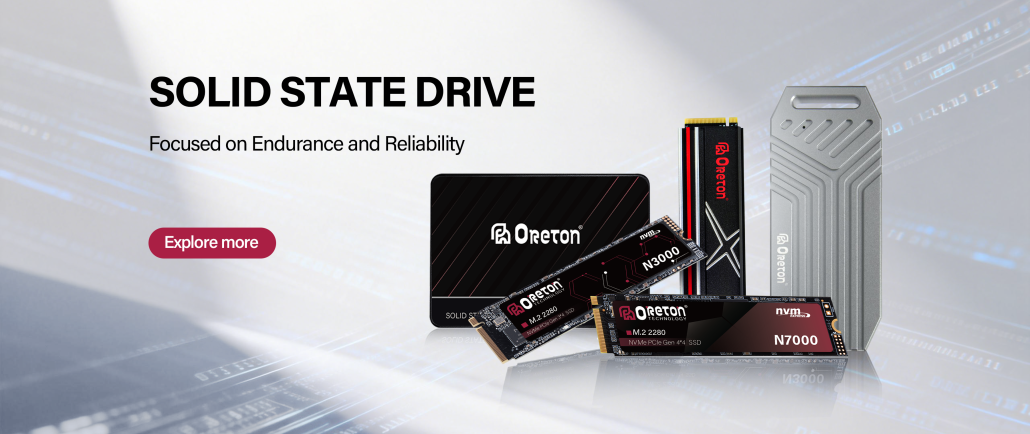
На сайте Оретон, we provide a full spectrum of SSD solutions from SATA to NVMe Gen5, ensuring your systems meet both performance requirements and cost targets. Learn more about our custom storage solutions to optimize your next deployment.