





Two SSDs can have the same capacity, interface, controller, NAND type, and advertised read/write speed, yet still show different results during real-world testing.
This does not necessarily mean that one SSD is defective.
SSD performance is influenced by many hardware, firmware, thermal, workload, and testing factors. Even when two drives belong to the same product model, small differences in internal configuration or operating conditions can affect benchmark results and long-term behavior.
For SSD manufacturers and OEM customers, this makes prestatieconsistentie an important part of product validation.
A good SSD is not only expected to achieve a certain peak performance level. It should also provide stable and repeatable behavior across samples, capacities, production batches, and realistic workloads.
1. What Does SSD Performance Consistency Mean?
SSD performance consistency refers to how closely an SSD maintains similar performance under the same testing conditions.
There are several different types of consistency to consider.
Sample-to-Sample Consistency
Two SSDs from the same product model should ideally produce similar results when tested under identical conditions.
Batch-to-Batch Consistency
Products manufactured in different production batches should continue to meet the defined performance and stability requirements.
Workload Consistency
An SSD should behave predictably when workload conditions change, rather than showing large and unexpected performance fluctuations.
Long-Term Consistency
Performance should remain reasonably stable during extended operation instead of only looking good during short benchmark tests.
These different aspects are important because a single benchmark result cannot fully describe SSD behavior.
2. Why Can Identical SSDs Perform Differently?
An SSD is a complete storage system rather than a single component.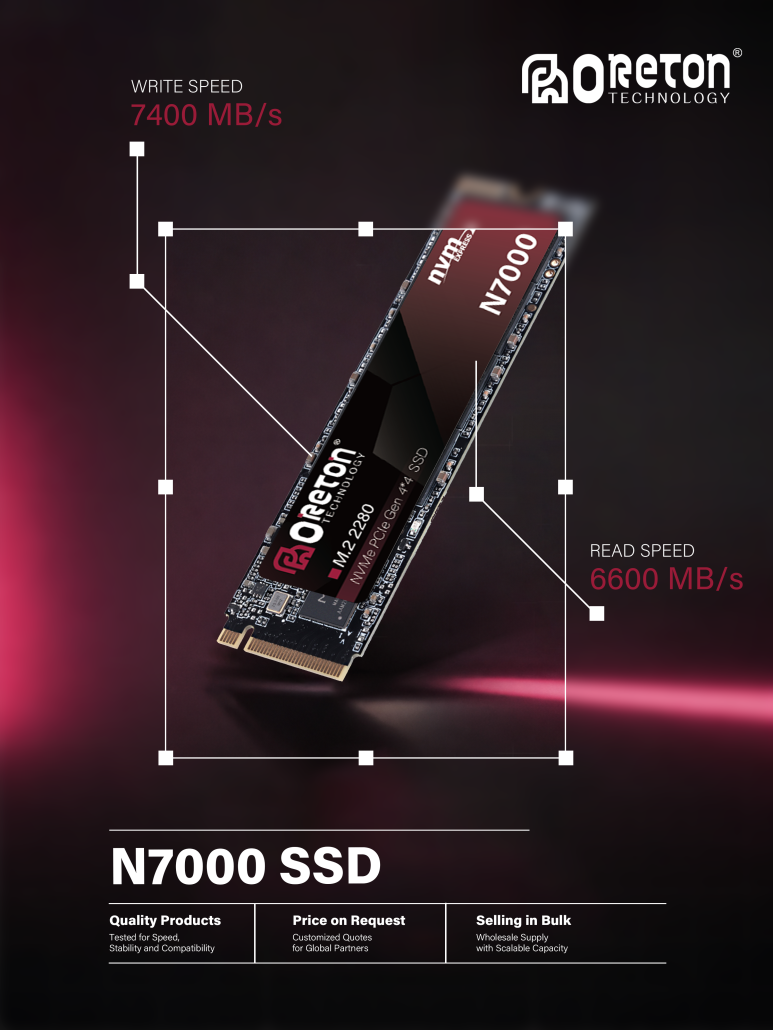
Its behavior depends on the interaction between:
- NAND-flash
- SSD Controller
- Firmware
- DRAM or HMB configuration
- PCB design
- Power delivery
- Thermal conditions
- SLC Cache
- NAND configuration
- Host platform
- Werkbelasting
Even small differences in one of these areas can affect the final result.
For example, two drives may use the same controller but different NAND configurations. The controller may technically support both configurations, but their internal parallelism, latency, or sustained write behavior can still differ.
As a result, looking only at the product label is not enough to understand performance consistency.
3. NAND Flash Configuration Matters
NAND Flash is one of the most important factors influencing SSD performance.
The same SSD capacity can sometimes be implemented using different NAND package, die, or density configurations.
For example, two 1TB SSDs may both be labeled as 1TB, but their internal NAND organization may not be identical.
Differences can include:
- NAND package count
- NAND die count
- Die density
- NAND generation
- Number of active channels
- Internal NAND interface speed
- NAND organization
These differences can affect how efficiently the controller accesses NAND resources.
A configuration with greater internal parallelism may behave differently from another configuration with fewer NAND resources, even when both products have the same advertised capacity.
This is one reason why capacity alone does not completely define SSD performance.
4. NAND Parallelism and Performance
The SSD controller communicates with NAND through multiple channels.
Each channel can provide access to one or more NAND resources, allowing the controller to process data in parallel.
Higher internal parallelism can potentially improve throughput when the workload is suitable.
However, more NAND dies or channels do not automatically guarantee higher performance.
The actual result depends on:
- Controller architecture
- NAND interface
- Planning firmware
- Queue depth
- Workload type
- Data access pattern
- SLC Cache
- Thermal conditions
For example, a high-parallelism configuration may show stronger results under sequential workloads with sufficient queue depth, while the difference may be much smaller under low-queue-depth workloads.
This means that NAND configuration should be evaluated together with the controller and workload rather than considered independently.
5. Controller Behavior
The SSD controller manages communication between the host system and NAND Flash.
It handles functions such as:
- Flash Translation Layer management
- NAND scheduling
- Error correction
- Nivellering van slijtage
- Garbage Collection
- Slecht blokbeheer
- SLC Cache management
Two SSDs using the same controller can still show different behavior if their NAND configuration or firmware differs.
Controller performance also depends on how effectively it can use the available NAND resources.
A controller may support multiple NAND configurations, but that does not mean every configuration will deliver exactly the same performance.
For OEM projects, controller selection should therefore be based on the complete SSD configuration rather than controller specifications alone.
6. Firmware Can Change SSD Performance
Firmware plays a major role in SSD performance consistency.
The firmware determines how the controller manages data mapping, NAND access, background operations, Garbage Collection, SLC Cache, and other internal processes.
Small firmware differences can influence:
- Sequential performance
- Random performance
- Vertraging
- SLC Cache behavior
- Garbage Collection
- Schrijfversterking
- Thermisch gedrag
- Performance recovery
Two drives with identical hardware may therefore behave differently if they use different firmware versions or configurations.
Firmware optimization is especially important for long-duration workloads.
A drive may achieve a high short-term benchmark result but show different sustained behavior when the cache is exhausted or background operations become more active.
7. SLC Cache and Performance Variation
Many modern SSDs use an SLC Cache to improve write performance.
During burst workloads, incoming data can be written to the cache at relatively high speed.
Once the cache becomes full, the SSD may need to write data directly to NAND while also managing internal data movement.
This can create a significant difference between:
Peak Write Performance
en
Sustained Write Performance
Two seemingly identical SSDs can show different results if their cache behavior differs because of:
- NAND configuration
- Available free space
- Previous workload
- Firmware
- Temperature
- Cache size
- Cache recovery behavior
For this reason, SSD performance testing should include both burst and sustained workloads.
8. Drive Capacity and Used Space
Available free space can affect SSD behavior.
When an SSD has plenty of unused space, the controller generally has more flexibility when organizing incoming data and preparing free NAND blocks.
As the drive becomes more heavily used, internal data management can become more complicated.
Garbage Collection and data movement may become more active, potentially affecting:
- Write performance
- Vertraging
- Schrijfversterking
- Performance consistency
This means that testing an empty SSD does not necessarily represent how the same SSD will behave when it is 70%, 80%, or 90% full.
For OEM validation, testing at different drive utilization levels can provide a more realistic picture of performance consistency.
9. Thermal Conditions
Temperature is another major factor.
The SSD controller and NAND generate heat during operation, particularly during sustained workloads.
When temperature increases, thermal management mechanisms may reduce controller activity to prevent excessive heat.
This can lead to performance changes during long-duration workloads.
Two SSDs may therefore show different benchmark results simply because they are operating at different temperatures.
Factors that influence SSD temperature include:
- Controller power consumption
- NAND configuration
- Heatsink design
- Thermisch kussen
- PCB layout
- Airflow
- Ambient temperature
- System enclosure
- Workload duration
For accurate comparison, thermal conditions should be controlled and recorded during testing.
10. Host Platform Can Affect Results
SSD performance is not determined entirely by the SSD itself.
The host platform can also influence the final result.
Important variables include:
- CPU
- Chipset
- PCIe generation
- PCIe lane configuration
- Motherboard
- BIOS
- Operating system
- Driver
- M.2 slot
- Power management settings
For example, a PCIe 4.0 SSD may produce different results on two different platforms even when the SSD itself is unchanged.
Similarly, different M.2 slots on the same motherboard may have different PCIe lane configurations or thermal conditions.
This is why SSD benchmark results should always be associated with the testing platform.
11. Queue Depth Changes SSD Behavior
Queue Depth (QD) describes how many I/O requests are waiting to be processed.
Low queue depth workloads are often closer to everyday consumer or client usage.
Higher queue depth workloads can provide the SSD controller with more requests to process simultaneously.
An SSD may therefore show very different performance characteristics at:
- QD1
- QD2
- QD4
- QD8
- QD32
A drive that performs strongly at high queue depth may not necessarily provide the same advantage at QD1.
For OEM applications, testing only one queue depth can produce an incomplete picture.
Performance consistency should be evaluated at queue depths that represent the target application.
12. Sequential and Random Performance Are Different
Sequential and random workloads access data in different ways.
Sequential workloads generally involve larger, more organized data transfers.
Random workloads involve smaller data accesses distributed across different logical addresses.
An SSD can perform extremely well in sequential testing while showing much more modest random performance.
The opposite situation can also occur depending on the architecture and workload.
For this reason, performance consistency should not be judged using a single benchmark number.
A more complete evaluation can include:
- Sequential read
- Sequential write
- Willekeurig lezen
- Random write
- Mixed read/write
- Lage wachtrijdiepte
- Hoge wachtrijdiepte
- Short burst workloads
- Sustained workloads
Different tests reveal different aspects of the SSD architecture.
13. Benchmark Results Can Vary Between Test Runs
Even the same SSD can produce different benchmark results when tested multiple times.
Several factors can contribute to this variation.
Bijvoorbeeld:
- SSD temperature
- Background operating system activity
- Drive utilization
- SLC Cache state
- Previous workload
- Garbage Collection
- Energiebeheer
- Test software settings
A benchmark performed immediately after a heavy write workload may produce different results from a benchmark performed after the SSD has been idle for a period of time.
Therefore, repeatability is an important part of SSD testing.
Running the same test multiple times can help identify whether a result represents normal behavior or an isolated measurement.
14. Short Benchmarks Do Not Tell the Whole Story
Peak benchmark numbers are useful for comparing basic performance, but they do not necessarily represent long-term behavior.
A short test may finish while the SSD is still benefiting from:
- SLC Cache
- Low temperature
- Large amounts of free space
- Minimal background activity
Longer workloads can reveal different characteristics.
For example, sustained testing may expose:
- Cache exhaustion
- Thermal throttling
- Garbage Collection
- Schrijfversterking
- Performance recovery
- Increasing latency
This is why performance consistency should include both short-term and long-duration testing.
15. Why Production Batch Consistency Matters
For OEM customers, performance consistency is not only about comparing two individual SSD samples.
It also matters during mass production.
A sample approved during the development stage may perform well, but OEM customers need confidence that production units will continue to meet the same requirements.
Potential sources of batch variation include:
- NAND supply changes
- Component revisions
- Firmware updates
- PCB changes
- Controller revisions
- Manufacturing process variation
- Component qualification differences
Component changes are not necessarily negative, but they should be properly evaluated before being introduced into mass production.
For OEM products, change management and validation are therefore important parts of maintaining performance consistency.
16. Component Substitution Requires Validation
In storage manufacturing, component availability can change over time.
An SSD manufacturer may need to qualify alternative NAND Flash, memory components, or other supporting components.
However, replacing a component does not always produce identical system behavior.
Even when the replacement component meets the same basic specification, differences in:
- Density
- Timing
- Interface behavior
- Internal organization
- Firmware requirements
- Power characteristics
may influence SSD performance.
Any significant component substitution should therefore be followed by appropriate validation.
This is particularly important for long-term OEM projects where product consistency across multiple production batches is required.
17. How OEMs Should Test SSD Performance Consistency
A reliable validation process should evaluate both performance level en performance variation.
A typical process can include several stages.
Step 1: Define the Target Specification
Establish acceptable ranges for:
- Sequential performance
- Random performance
- Vertraging
- Temperature
- Power consumption
- Aanhoudende prestaties
Step 2: Define the Test Platform
Keep the CPU, motherboard, BIOS, operating system, driver, PCIe configuration, and M.2 slot consistent.
Step 3: Test Multiple Samples
Testing only one SSD cannot show sample-to-sample variation.
Multiple samples should be tested to identify the expected performance range.
Step 4: Test Different Workloads
Use sequential, random, mixed, burst, and sustained workloads according to the target application.
Step 5: Test Different Drive Utilization Levels
Evaluate performance at different levels of used capacity.
Step 6: Monitor Temperature
Record SSD temperature during testing to identify thermal-related performance changes.
Step 7: Repeat the Tests
Repeated measurements can help determine whether results are stable and reproducible.
Step 8: Validate Production Batches
Once mass production begins, periodic testing can help confirm that production units remain within the approved performance range.
18. What OEMs Should Look Beyond the Datasheet
An SSD datasheet usually provides useful information such as:
- Capaciteit
- Interface
- Sequential read speed
- Sequential write speed
- Willekeurige IOPS
- TBW
- Form factor
These specifications are important, but they do not describe every aspect of SSD behavior.
OEM customers should also consider:
- Performance consistency
- Aanhoudende prestaties
- Sample variation
- Thermisch gedrag
- Firmware stability
- NAND configuration
- Component consistency
- Platform compatibility
- Long-term testing
- Production batch control
A strong SSD solution should meet not only the advertised specification but also the practical requirements of the target system.
19. Balancing Performance and Consistency
Maximum benchmark performance is not always the most important objective.
For many OEM applications, predictable performance may be more valuable than a higher peak number that is difficult to reproduce.
For example, an SSD that delivers slightly lower peak performance but maintains stable results across samples and long workloads may be more suitable for a long-term OEM project than a drive with higher but highly variable benchmark results.
The appropriate balance depends on the target application.
A storage solution should therefore be evaluated based on:
Performance + Consistency + Compatibility + Reliability + Cost
rather than performance alone.
20. Oreton’s Approach to SSD Performance Consistency
Op Oreton, SSD performance evaluation goes beyond the specifications printed on the product label.
NAND Flash, controller, firmware, internal configuration, thermal behavior, and target platform all contribute to the final performance of an SSD.
For OEM projects, we focus on understanding how these components work together and how the resulting SSD behaves under realistic workloads.
Performance testing can include different capacities, workload types, queue depths, drive utilization levels, thermal conditions, and long-duration scenarios.
Consistency is especially important for OEM and long-term supply projects. A product should not only achieve the expected performance during initial evaluation but also maintain a stable and repeatable behavior across qualified production configurations.
Our approach is to balance performance, compatibility, stability, and consistency to provide SSD solutions that fit the practical requirements of OEM customers.
Conclusie
Two SSDs can have the same capacity, interface, controller, NAND type, and advertised performance while still producing different results.
The reasons can come from many parts of the storage system, including NAND configuration, internal parallelism, firmware, SLC Cache, available free space, thermal conditions, host platform, queue depth, and workload.
Even the same SSD can produce different benchmark results under different test conditions.
For this reason, SSD performance should not be evaluated through a single peak speed number.
OEM validation should examine sample-to-sample consistency, sustained performance, thermal behavior, workload response, component consistency, and long-term stability.
A reliable SSD solution is not simply one that reaches a high benchmark score. It is one that can deliver predictable and repeatable behavior across real-world workloads and qualified production configurations.
For SSD manufacturers and OEM customers, understanding performance consistency is therefore an important step toward building storage products that remain reliable not only during testing, but throughout their intended service life.