





Key Factors and Signs Your SSD May Be Wearing Out
.png)
Solid-state drives (SSDs) have become the standard storage solution for modern computers, offering significantly faster performance, lower power consumption, and better durability than traditional hard drives. However, like all storage devices, SSDs have a finite lifespan.
While many users assume that SSDs will suddenly fail without warning, the reality is that their longevity depends on several technical factors and usage patterns. Understanding what determines SSD lifespan—and recognizing the early signs of potential wear—can help users maintain system stability and protect important data.
The Main Factors That Determine SSD Lifespan
1. NAND Flash Type
At the core of every SSD is NAND flash memory, and the type of NAND used plays a major role in determining endurance.
Different NAND architectures have different write durability:
| NAND-type | Bits per cel | Typical Endurance |
|---|---|---|
| SLC | 1 | Zeer hoog |
| MLC | 2 | Hoog |
| TLC | 3 | Matig |
| QLC | 4 | Lager |
Most modern consumer SSDs use TLC NAND, which offers a good balance between cost, performance, and durability. Higher-density technologies like QLC allow for larger capacities but typically have lower write endurance.
Manufacturers compensate for these differences with advanced controllers, wear-leveling algorithms, and over-provisioning.
2. TBW (Total Bytes Written)
One of the most important metrics used to estimate SSD lifespan is TBW, or Total Bytes Written. This specification indicates the total amount of data that can be written to the drive before the warranty endurance limit is reached.
Bijvoorbeeld:
-
A 1TB consumer SSD may have a TBW rating between 300TB and 600TB.
-
Higher-end or enterprise SSDs may exceed 1000TBW.
In real-world usage, most consumer users write far less data than these limits. Studies have shown that many SSDs continue functioning well even after exceeding their rated TBW.
3. Write Amplification
SSD controllers manage data internally using techniques such as garbage collection and wear leveling. During this process, the actual amount of data written to NAND may be higher than what the user writes.
This phenomenon is known as schrijfversterking.
Bijvoorbeeld:
If a user writes 1GB of data, the SSD might internally write 1.2GB–1.5GB due to block management operations.
Efficient controller design and firmware optimization can significantly reduce write amplification, extending SSD lifespan.
4. Over-Provisioning
Many SSDs reserve a portion of their NAND capacity as over-provisioned space. This extra capacity is used internally to replace worn cells and maintain performance during heavy workloads.
More over-provisioning typically results in:
-
improved endurance
-
more stable performance
-
longer drive lifespan
Enterprise SSDs often include significantly more over-provisioned space than consumer models.
5. Operating Temperature
Temperature can also influence SSD reliability.
Most SSDs are designed to operate within a range of approximately 0°C to 70°C. Sustained high temperatures may accelerate NAND wear and reduce long-term reliability.
This is why modern high-performance NVMe SSDs often include thermal throttling mechanisms or rely on motherboard heatsinks to maintain stable operating conditions.
Signs That an SSD May Be Wearing Out
Although SSDs are generally very reliable, there are several warning signs that may indicate aging or potential problems.
Recognizing these symptoms early can help prevent data loss.
1. Slower Write Speeds
One of the most common symptoms of SSD aging is a noticeable drop in write performance.
This may occur when:
-
SLC cache becomes less effective
-
available free blocks decrease
-
NAND cells begin to wear out
While temporary slowdowns can occur during large file transfers, persistent performance degradation may indicate underlying wear.
2. Frequent System Freezes or Crashes
If the system frequently freezes when accessing files or applications stored on the SSD, the drive may be experiencing read or write errors.
These issues can sometimes appear as:
-
de app loopt vast
-
system hangs during file operations
-
unusually long loading times
3. File Corruption
Another warning sign is the appearance of beschadigde bestanden or data that cannot be opened properly.
While file corruption can occur for multiple reasons, repeated corruption involving files stored on the same drive may suggest SSD problems.
4. SMART Warnings
Most SSDs support SMART monitoring, which tracks internal health indicators such as:
-
remaining life percentage
-
bad block count
-
error rates
If system monitoring tools report warnings or decreasing health status, it may be time to back up data and consider replacing the drive.
5. Drive Becoming Read-Only
In some cases, SSD firmware may switch the drive into read-only mode when NAND wear reaches a critical level.
This protective behavior prevents further data loss but also means the drive can no longer accept new writes.
Real-World Lifespan: How Long Do SSDs Usually Last?
In practical terms, most consumer SSDs last far longer than many users expect.
For typical office or home use:
-
5–10 years of reliable operation is common.
-
daily workloads rarely approach TBW limits.
Heavy workloads such as video editing, large database operations, or continuous data logging may reduce lifespan, but these use cases often require enterprise-grade storage solutions anyway.
Stability and Reliability in Modern SSD Design
While SSD endurance depends on many technical factors, overall reliability also depends on design choices made during manufacturing.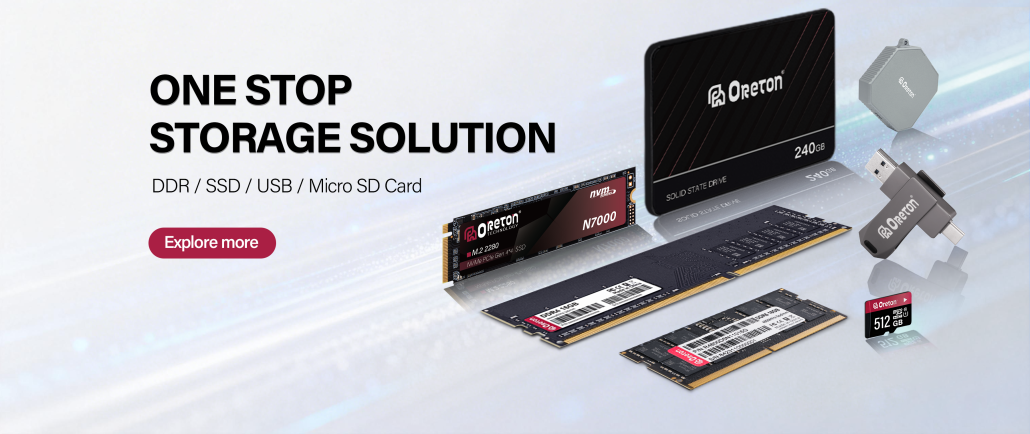
Component selection, controller design, firmware optimization, and quality testing all influence long-term performance.
Op Oreton, storage products are designed with an emphasis on stable operation and consistent performance across different system environments. Through controlled component selection and multi-stage testing before shipment, we aim to provide storage solutions that support reliable everyday computing workloads.
As data storage continues to play a central role in modern computing, ensuring long-term stability remains a key priority for both manufacturers and users.