





소개
Storage is one of the most important components in a modern PC build, but choosing between NVMe SSD and SATA SSD is not simply a matter of choosing the drive with the higher advertised speed.
Both technologies use NAND Flash storage, but they connect to the PC through fundamentally different interfaces and protocols.
For a new PC build or storage upgrade, the key differences involve:
- 인터페이스
- 대역폭
- Protocol
- 지연 시간
- Form factor
- 전력 소비량
- Real-world workload
- Motherboard compatibility
Understanding these differences helps determine where NVMe or SATA storage makes the most sense in a PC configuration.
NVMe SSD and SATA SSD: Different Storage Architectures
The biggest difference starts with how the SSD connects to the system.
SATA SSD
SATA SSDs typically use the SATA III interface, which provides a theoretical interface bandwidth of approximately:
6 Gb/s
Because of protocol and interface overhead, practical sequential speeds for SATA SSDs generally remain around the 500-550 MB/s range.
SATA SSDs commonly use the:
2.5-inch form factor
and connect to the motherboard through a SATA data cable.
NVMe SSD
NVMe SSDs are designed to communicate through PCIe rather than SATA.
Modern consumer NVMe SSDs commonly use:
PCIe x4
and the NVMe protocol was specifically designed for high-speed non-volatile storage.
Depending on the PCIe generation, theoretical bandwidth increases significantly:
| 인터페이스 | Approximate PCIe Bandwidth per Lane |
|---|---|
| PCIe 3.0 | ~1 GB/s |
| PCIe 4.0 | ~2 GB/s |
| PCIe 5.0 | ~4 GB/s |
A PCIe x4 SSD can therefore provide substantially more bandwidth than SATA.
This is why modern NVMe SSDs can reach several thousand MB/s, while SATA SSDs remain limited by the SATA interface.
NVMe vs SATA: Sequential Performance
The most obvious difference appears in sequential read and write performance.
A typical SATA SSD may deliver approximately:
500-550 MB/s
A PCIe 3.0 NVMe SSD can reach around:
3,000+ MB/s
PCIe 4.0 NVMe SSDs can reach:
7,000+ MB/s
while high-performance PCIe 5.0 models can exceed:
10,000 MB/s
depending on the controller, NAND configuration, firmware, and product design.
This makes NVMe particularly attractive for high-performance PC builds.
However, advertised sequential speed does not tell the entire story.
Random Performance and Latency
PC applications do not constantly transfer huge sequential files.
Operating systems, applications, and games frequently perform smaller random reads and writes.
This is where 지연 시간 및 IOPS become important.
NVMe was designed specifically for modern high-speed storage and can support large numbers of parallel I/O operations with lower protocol overhead than SATA/AHCI.
As a result, NVMe SSDs can provide significant advantages in:
- Random read performance
- Random write performance
- IOPS
- Queue depth handling
- Storage latency
This can be particularly useful in demanding workloads.
Gaming Performance: Is NVMe Always Faster?
This is where the comparison becomes more interesting.
An NVMe SSD can be several times faster than a SATA SSD in sequential benchmarks.
But that does not mean a game will load several times faster.
Game loading depends on multiple factors, including:
- CPU processing
- Game engine
- Asset compression
- File structure
- Random storage access
- 메모리
- Storage latency
For many existing games, upgrading from SATA SSD to NVMe may improve loading times, but the difference can be much smaller than the benchmark numbers suggest.
However, newer gaming technologies are increasingly designed around high-speed NVMe storage.
For modern gaming PCs, NVMe is therefore generally the more forward-looking choice.
NVMe vs SATA for Windows and Applications
For everyday PC use, both SATA and NVMe SSDs can provide a significant improvement over traditional HDD storage.
With a SATA SSD, users already benefit from:
- Faster boot times
- Faster application loading
- Faster file access
- Lower latency than HDDs
Moving from SATA to NVMe can further improve demanding workloads such as:
- 대용량 파일 전송
- Video editing
- 3D content creation
- Software development
- Large application installations
- Professional workstation workloads
For basic web browsing, office applications, and general desktop use, however, the difference may be less noticeable.
NVMe vs SATA for Content Creation
For creators working with large files, the advantages of NVMe become more apparent.
Consider workloads such as:
- 4K/8K 동영상 편집
- RAW photo processing
- Large project files
- 3D rendering assets
- 가상 머신
- Large software builds
These workloads can involve significant amounts of sequential and random storage activity.
A high-performance NVMe SSD can reduce file transfer and data processing bottlenecks compared with SATA storage.
For professional PC builds, NVMe is therefore increasingly becoming the standard for high-speed primary storage.
Form Factor and PC Build Considerations
Another important difference is physical installation.
SATA SSD
A typical 2.5-inch SATA SSD requires:
- SATA data cable
- SATA power connection
- 2.5-inch mounting position
This can result in additional cables inside the PC.
NVMe SSD
An M.2 NVMe SSD usually connects directly to the motherboard.
This provides:
- Cleaner cable management
- Smaller physical footprint
- Easier installation
- Direct PCIe connectivity
For compact PC builds, Mini PCs, and modern gaming systems, the M.2 form factor can be particularly convenient.
Motherboard Compatibility Matters
Before installing an NVMe SSD, users should check motherboard specifications.
Important factors include:
- M.2 slot availability
- PCIe generation
- PCIe lane configuration
- Supported M.2 form factor
- CPU vs chipset PCIe lanes
- BIOS support
Not every M.2 slot supports NVMe.
Some M.2 slots may support SATA-based M.2 drives, while others support PCIe/NVMe drives.
Therefore:
M.2 does not automatically mean NVMe.
The physical connector and the storage protocol are different concepts.
PCIe Generation and NVMe Performance
Not all NVMe SSDs perform at the same level.
The PCIe generation directly affects available bandwidth.
PCIe 3.0 NVMe
A practical choice for:
- Mainstream PCs
- Office systems
- Budget gaming PCs
- General productivity
PCIe 4.0 NVMe
Suitable for:
- 게이밍 PC
- Workstations
- 콘텐츠 제작
- High-performance desktops
Modern PCIe 4.0 SSDs can reach sequential speeds around 7,000 MB/s depending on the product architecture.
PCIe 5.0 NVMe
Designed for:
- Enthusiast gaming systems
- High-performance workstations
- Professional workloads
- Large-scale data transfers
High-end PCIe 5.0 SSDs can exceed 10,000 MB/s and can reach significantly higher speeds than PCIe 4.0 designs.
However, higher performance also introduces greater thermal considerations.
Thermal Management in NVMe SSDs
High-performance NVMe SSDs can generate considerably more heat than SATA SSDs.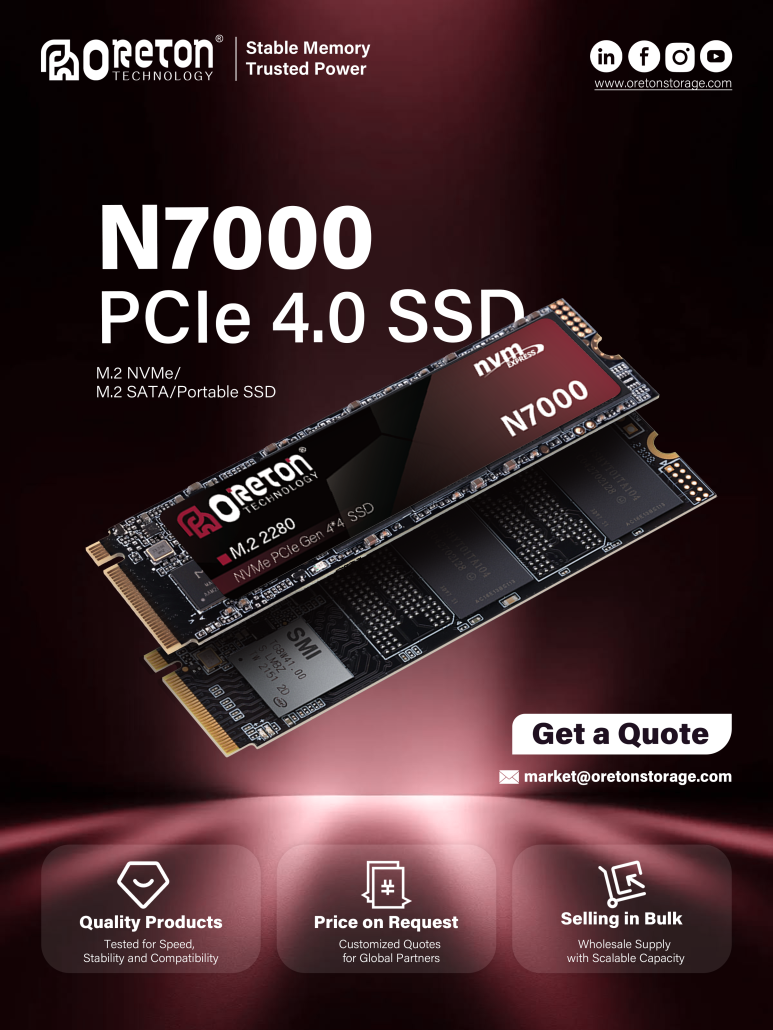
This is particularly relevant for:
- PCIe 4.0 high-performance SSDs
- PCIe 5.0 SSD
- Sustained sequential workloads
- 대용량 파일 전송
When the controller reaches a high temperature, the SSD may activate 열 스로틀링 to protect the device.
Therefore, SSD performance should always be considered together with:
Performance + Temperature + Sustained Workload
A motherboard M.2 heatsink or dedicated SSD heatsink can help manage controller temperature in demanding PC builds.
NVMe vs SATA: Which One Fits a PC Build?
There is no universal answer.
NVMe is generally the better choice for:
- New gaming PCs
- High-performance desktops
- Workstations
- 콘텐츠 제작
- Large file workloads
- Modern PCIe platforms
SATA SSD can still make sense for:
- Budget PC builds
- Secondary storage
- Older motherboards
- Large existing SATA storage configurations
- Systems with limited M.2 slots
SATA SSDs remain significantly faster than HDDs and can still provide excellent everyday performance.
NVMe vs SATA: A Practical Comparison
| Feature | SATA SSD | NVMe SSD |
|---|---|---|
| 인터페이스 | SATA III | PCIe |
| Protocol | AHCI | NVMe |
| Typical Form Factor | 2.5-inch | M.2 |
| Sequential Speed | ~500-550 MB/s | 3,000–14,000+ MB/s* |
| 지연 시간 | 더 높은 | Lower |
| IOPS | Lower | 더 높은 |
| Installation | SATA cables | Direct M.2 connection |
| Thermal Output | Generally lower | Can be higher |
| Best Use | Budget / Secondary Storage | Modern / High-Performance PC |
*Actual performance depends on PCIe generation, controller, NAND configuration, firmware, and product design.
Oreton NVMe SSD Solutions for Modern PC Builds
For modern PC builds, Oreton provides NVMe SSD solutions designed around different performance requirements.
그리고 Oreton N3000 targets PCIe 3.0 systems, providing a practical storage solution for mainstream PCs and everyday workloads.
그리고 Oreton N7000 uses a PCIe 4.0 interface and is designed for higher-performance gaming PCs, workstations, and demanding storage workloads.
For users building systems around the latest PCIe technology, Oreton also develops high-performance storage solutions designed to take advantage of the increased bandwidth of newer PCIe generations.
Rather than focusing only on peak sequential speed, SSD design involves balancing:
NAND Flash + Controller + Firmware + Thermal Management + PCIe Interface
This system-level approach helps ensure that SSD performance remains stable and reliable in real PC environments.
결론
The difference between NVMe and SATA SSDs goes far beyond the numbers printed on a benchmark chart.
SATA SSDs remain a reliable and cost-effective storage option, especially for secondary storage and older systems.
NVMe SSDs, however, provide substantially higher bandwidth, lower latency, and greater parallel I/O capability, making them the natural choice for most new high-performance PC builds.
For modern gaming PCs, workstations, and content-creation systems, PCIe NVMe has become the mainstream high-performance storage architecture.
The best SSD choice ultimately depends on the entire PC configuration—including the motherboard, PCIe generation, workload, thermal environment, and required capacity.