





Introduzione
When shopping for an NVMe SSD, specifications such as PCIe Gen4 x4, PCIe Gen5 x4, oppure PCIe x2 often appear on product pages. While many users understand that newer PCIe generations offer higher bandwidth, fewer know how PCIe lane count affects actual SSD performance.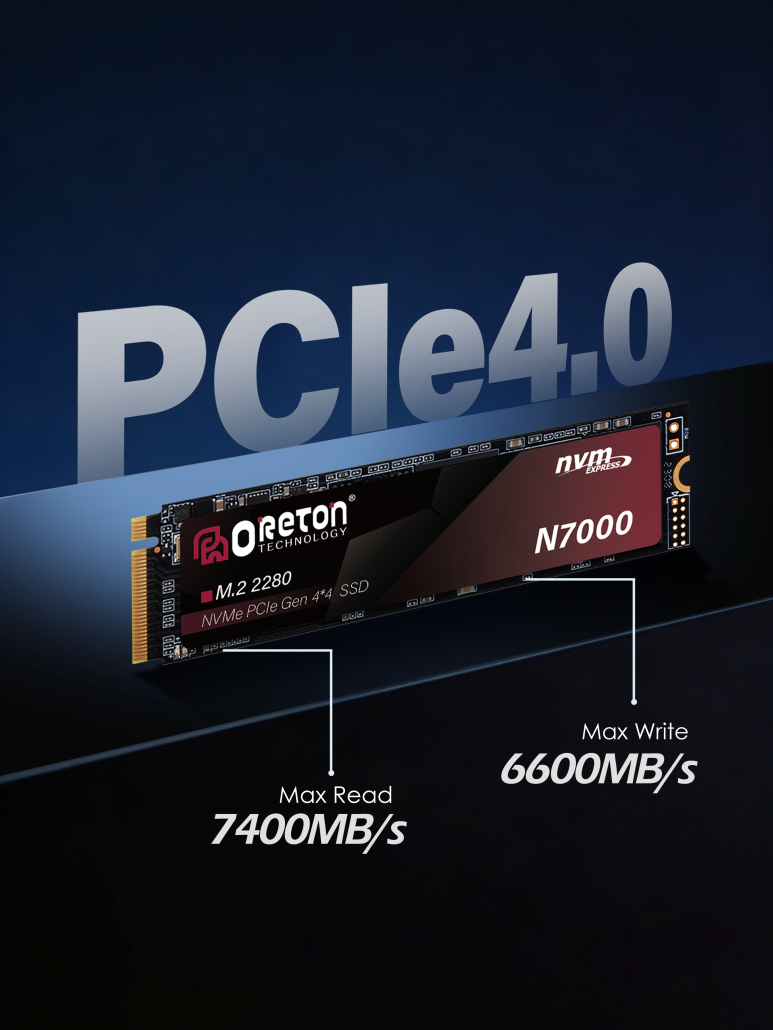
Does a PCIe Gen5 SSD always outperform a Gen4 SSD? Is an x4 connection always necessary? And what happens if a PCIe x4 SSD is installed in an x2 or older PCIe slot?
The reality is that SSD performance is determined by much more than the PCIe generation alone. PCIe lanes, interface generation, SSD controller, NAND Flash, firmware optimization, and platform support all work together to determine real-world speed.
In this article, we’ll explain what PCIe lanes are, how bandwidth is calculated, and how lane configuration influences NVMe SSD performance.
What Are PCIe Lanes?
A PCIe lane is a dedicated communication pathway that transfers data between the CPU (or chipset) and a PCIe device such as an SSD or graphics card.
Each lane contains two independent data paths:
- One for sending data
- One for receiving data
This full-duplex design allows simultaneous communication in both directions.
Multiple lanes can be combined to increase available bandwidth.
Common PCIe lane configurations include:
- PCIe x1
- PCIe x2
- PCIe x4
- PCIe x8
- PCIe x16
For modern consumer NVMe SSDs, PCIe x4 has become the industry standard because it provides sufficient bandwidth for today’s high-speed storage devices.
By comparison, graphics cards typically operate over PCIe x16 connections due to their significantly higher bandwidth requirements.
PCIe Generation and PCIe Lane Count Are Different Things
One of the most common misconceptions is assuming that PCIe generation and lane count describe the same thing.
They do not.
Generazione PCIe determines how much data each lane can transmit.
PCIe Lane Count determines how many communication channels are available.
Both contribute to total bandwidth.
Ad esempio:
| PCIe Interface | Approximate Maximum Bandwidth |
|---|---|
| PCIe Gen3 x1 | ~985 MB/s |
| PCIe Gen3 x2 | ~1.97 GB/s |
| PCIe Gen3 x4 | ~3.94 GB/s |
| PCIe Gen4 x4 | ~7.88 GB/s |
| PCIe Gen5 x4 | ~15.75 GB/s |
Each new PCIe generation approximately doubles the bandwidth available per lane.
This means a PCIe Gen4 x2 connection provides bandwidth similar to a PCIe Gen3 x4 connection.
Understanding both generation and lane count is essential when evaluating SSD specifications.
PCIe x2 vs PCIe x4: Does Lane Count Matter?
The answer depends on the SSD itself and the intended workload.
Entry-level NVMe SSDs designed for everyday office tasks may not fully utilize the bandwidth provided by PCIe x4.
However, as SSD performance increases, lane count becomes increasingly important.
PCIe x2 SSDs
Suitable for:
- PC da ufficio
- Basic productivity
- Entry-level systems
- Budget upgrades
Because these workloads rarely require sustained high-speed transfers, PCIe x2 bandwidth is often sufficient.
PCIe x4 SSDs
Ideale per:
- Gioco
- Creazione di contenuti
- Software development
- Professional workstations
- Trasferimenti di file di grandi dimensioni
High-performance PCIe Gen4 and Gen5 SSDs rely on x4 connections to achieve their full read and write speeds.
Reducing a PCIe Gen5 SSD to an x2 connection would significantly limit its available bandwidth.
Why Most Modern NVMe SSDs Use PCIe x4
Today’s mainstream NVMe SSDs almost universally use PCIe x4 because it provides the best balance between performance, compatibility, and platform resources.
Using additional lanes would increase motherboard complexity and reduce the number of PCIe lanes available for other devices.
Using fewer lanes would limit SSD performance.
As controller technology and NAND Flash continue to improve, PCIe x4 remains the optimal interface for most consumer and professional SSDs.
PCIe Gen4 x4: The Current Mainstream Standard
PCIe Gen4 x4 SSDs have become the preferred choice for most modern desktop and laptop systems.
With theoretical bandwidth approaching 8 GB/s, they provide more than enough performance for:
- AAA gaming
- Video editing
- Professional photography
- Software development
- Everyday productivity
Many flagship PCIe Gen4 SSDs now deliver sequential read speeds around 7.000 MB/s, making them an excellent balance between cost and performance.
For most users, PCIe Gen4 x4 offers outstanding real-world performance without requiring the latest hardware platform.
PCIe Gen5 x4: Built for Next-Generation Workloads
PCIe Gen5 doubles the available bandwidth again.
A PCIe Gen5 x4 connection provides nearly 16 GB/s of theoretical bandwidth, enabling SSDs capable of sequential read speeds exceeding 14,000 MB/s.
These drives are particularly valuable for:
- AI computing
- 8K video production
- Large-scale content creation
- Scientific computing
- Professional workstations
While many everyday users may not fully benefit from PCIe Gen5 today, demand for higher bandwidth continues to grow as software and workloads become more data intensive.
What Happens If an SSD Doesn’t Have Enough PCIe Lanes?
An SSD can only operate within the bandwidth provided by the system.
Ad esempio:
- Installing a PCIe Gen5 x4 SSD into a PCIe Gen4 slot will limit performance to PCIe Gen4 bandwidth.
- Installing a PCIe x4 SSD into an x2 connection will reduce the maximum available bandwidth by approximately half.
- Older motherboards may not allow newer SSDs to reach their advertised performance.
This is why storage performance depends not only on the SSD itself but also on the capabilities of the motherboard, CPU, and available PCIe resources.
Platform Compatibility Also Matters
Even the fastest SSD cannot exceed the limitations of the platform.
Several hardware components influence achievable SSD performance, including:
- CPU PCIe controller
- Motherboard chipset
- M.2 slot specification
- BIOS support
- PCIe generation
- Available lane allocation
Before upgrading to a high-performance NVMe SSD, users should verify that their motherboard supports the intended PCIe generation and lane configuration.
Proper platform compatibility ensures the SSD can operate at its full potential.
Choosing the Right PCIe Configuration
Selecting the right SSD is about matching storage performance to the intended workload.
Everyday Computing
Recommended:
- PCIe Gen3 x4
- PCIe Gen4 x4
Provides fast boot times, application launches, and general responsiveness.
Gioco
Recommended:
- PCIe Gen4 x4
Offers excellent game loading performance and supports modern game storage requirements.
Creazione di contenuti
Recommended:
- PCIe Gen4 x4
- PCIe Gen5 x4
Ideal for large project files, video editing, and professional creative workflows.
AI and Professional Workstations
Recommended:
- PCIe Gen5 x4
Delivers maximum bandwidth for demanding storage-intensive applications.
Common PCIe Lane Misconceptions
Several misconceptions continue to cause confusion when choosing an SSD.
Myth 1: PCIe Gen5 SSDs Are Always Faster
Non necessariamente.
If the motherboard only supports PCIe Gen4, a Gen5 SSD will operate at Gen4 speeds.
Myth 2: More PCIe Lanes Always Mean Better Performance
Additional lanes only improve performance if the SSD controller and NAND Flash can utilize the available bandwidth.
An entry-level SSD may not benefit significantly from extra bandwidth.
Myth 3: PCIe Interface Alone Determines SSD Speed
PCIe bandwidth is only one part of the equation.
Real-world SSD performance also depends on:
- Controller architecture
- NAND Flash performance
- Ottimizzazione del firmware
- Gestione termica
- Comportamento della cache SLC
A well-balanced SSD often delivers more consistent performance than a drive focused solely on maximum benchmark numbers.
Oreton’s Approach to PCIe SSD Performance
At Oreton, we believe high-performance storage is achieved through the balance of multiple technologies rather than interface specifications alone.
Our NVMe SSDs are developed by carefully optimizing PCIe bandwidth, controller architecture, NAND Flash selection, firmware algorithms, and thermal design to deliver reliable performance across different applications.
Our PCIe Gen4 SSDs are engineered to provide excellent everyday computing, gaming, and content creation performance with efficient bandwidth utilization. For users requiring higher throughput, our PCIe Gen5 SSD solutions are designed to support AI computing, professional workstations, and other data-intensive workloads where sustained performance matters most.
Every Oreton SSD also undergoes platform compatibility validation across mainstream Intel and AMD systems to ensure stable operation and consistent performance under real-world conditions.
Rather than focusing solely on peak benchmark speeds, Oreton emphasizes balanced engineering that enables every SSD to make the most of its available PCIe bandwidth while maintaining long-term reliability.
Conclusione
PCIe generation is only one part of SSD performance.
To fully understand how an NVMe SSD performs, users should consider the complete picture, including PCIe lane count, interface generation, controller capability, NAND Flash quality, firmware optimization, and platform compatibility.
As storage technology continues to evolve, PCIe Gen4 x4 remains the best choice for most users, while PCIe Gen5 x4 is opening new possibilities for AI computing and professional workloads that demand significantly higher bandwidth.
At Oreton, we design SSD solutions that maximize the advantages of modern PCIe technology through carefully selected components, rigorous validation, and balanced engineering—helping users, system integrators, and OEM partners build faster, more reliable storage systems for today’s computing needs and tomorrow’s workloads.