





Long drone recording sessions create a storage challenge that goes beyond choosing a memory card with sufficient capacity. Aerial photography, surveying, mapping, inspections and extended video shoots can generate large amounts of footage in a relatively short time. Without proper planning, a memory card may fill up before a flight is complete, important footage may become difficult to organize, or files may be lost during transfer.
Effective storage management starts before takeoff. By estimating recording time, calculating storage requirements, preparing backup cards and establishing a reliable file-transfer workflow, drone operators can reduce interruptions and keep their footage organized throughout a project.
This guide explains how to manage storage for long drone recording sessions, from pre-flight planning to post-flight data handling.
1. Estimate Recording Time Before Takeoff
The first step is to estimate how much footage a memory card can hold under the intended recording settings.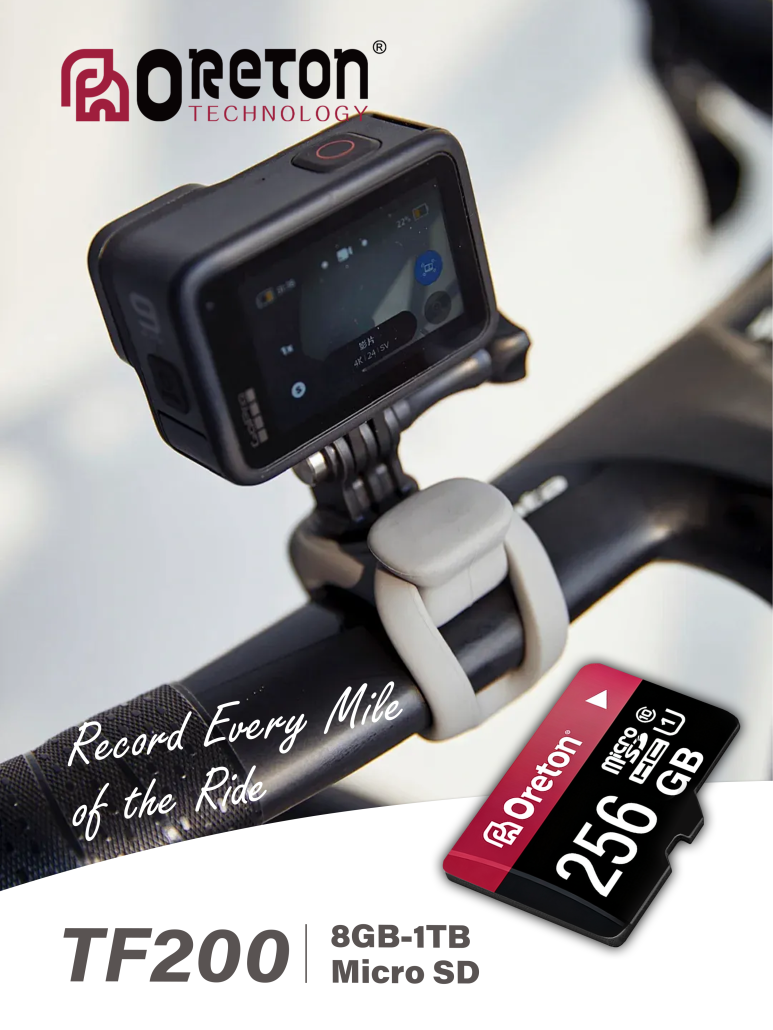
Recording time depends primarily on the video bitrate, available storage capacity and the amount of space already occupied by existing files. Resolution and frame rate influence storage requirements, but bitrate is a more direct measure of how quickly a recording consumes space.
A practical estimation formula is:
Recording time (hours) ≈ usable capacity (GB) × 8,000 ÷ bitrate (Mbps) ÷ 3,600
For example, if approximately 90% of a 128GB card is available, the estimated recording time would be:
- At 50 Mbps: approximately 5.1 hours.
- At 100 Mbps: approximately 2.6 hours.
- At 150 Mbps: approximately 1.7 hours.
These are simplified estimates, not guaranteed recording times. Actual results vary with variable-bitrate encoding, audio, file-system overhead, existing files and the camera’s recording format.
Before a flight, check the camera’s current bitrate and available card space rather than relying on a general estimate for 4K or another resolution. Two drones recording at the same resolution may consume storage at very different rates.
2. Calculate Storage Requirements for the Entire Mission
The required capacity should be based on the full recording plan, not just the expected duration of a single flight.
Consider a drone operator who plans to record 90 minutes of footage at an average bitrate of 100 Mbps.
The approximate data generated would be:
100 Mbps ÷ 8 × 5,400 seconds = 67,500MB, or about 67.5GB.
If the operator wants additional space for unexpected recording, repeated shots or longer flights, a card with at least 128GB of available capacity may be more practical than one that is almost full before the mission begins.
For projects involving multiple flights, estimate the combined recording time and decide whether to use one card throughout the project or rotate between several cards.
It is also useful to distinguish between flight duration and recording duration. A 30-minute flight does not necessarily generate 30 minutes of footage. Operators may record only selected sections, or they may leave recording active throughout the entire flight. Storage calculations should reflect the actual recording workflow.
3. Plan Around Recording Settings and File Sizes
Higher recording bitrates generally produce larger files, while lower bitrates consume less storage. The appropriate setting depends on the project’s image-quality requirements and intended use.
For casual aerial footage or quick social media content, the default recording profile may be sufficient. Professional editing, detailed inspection and mapping workflows may require different recording formats or settings.
Before a long session, consider the following:
- Resolution: Higher-resolution footage often requires more storage, depending on the codec and bitrate.
- Frame rate: Higher frame rates can increase data requirements, although the actual impact depends on the recording profile.
- Codec and compression: Different codecs and compression settings can produce different file sizes at comparable resolutions.
- Recording format: High-quality formats and certain professional workflows can generate much larger files than highly compressed video.
- Additional media: Photos, RAW images, audio tracks and other recorded data also consume space.
Avoid changing recording settings solely to make footage fit on a card if doing so compromises the project’s requirements. It is usually better to estimate the storage demand beforehand and prepare sufficient capacity.
For operators working with different types of storage, understanding the characteristics of flash-based devices can also help when designing a complete media workflow. Oreton provides information about its SSD storage solutions, which can serve as one option to evaluate when planning compatible computer-based storage for transferring and organizing large video files.
4. Prepare Backup Cards Before Every Flight
Carrying spare memory cards is a straightforward way to reduce the risk of running out of storage during an extended shoot.
The number of cards required depends on the recording bitrate, expected footage duration, card capacity and opportunities to transfer files between flights. There is no universal number that suits every mission.
For example, a project involving several short flights with access to a laptop may need a different card rotation plan from a remote surveying mission where footage cannot be transferred until the end of the day.
A practical preparation routine includes:
- Calculate the expected storage requirement for each flight.
- Check the available space on every card before departure.
- Confirm that each card is compatible with the drone and recording settings.
- Carry enough prepared cards to cover the planned recording workload and a reasonable contingency.
- Keep unused cards separate from cards containing recorded footage.
- Label cards clearly so that footage from different flights or locations can be identified later.
Do not assume that a card is empty simply because it was used on a previous mission. Confirm its contents and available capacity before formatting or reusing it.
If footage contains important project data, avoid formatting a card until the files have been transferred and verified.
5. Organize Cards and Footage During Multi-Flight Projects
Storage management becomes more complicated when multiple flights take place in one day or when several operators contribute footage to the same project.
A consistent labeling system helps prevent files from being mixed up or associated with the wrong flight.
For example, card labels can include a project identifier, date and card number. A simple sequence such as SITE01_2026-10-21_CARD-A makes it easier to identify the source of recorded footage.
The same structure can be applied to folders on the transfer drive. A project folder might contain separate subfolders for each flight, location or camera.
Useful organizational practices include:
- Record which card was used for each flight.
- Maintain a flight log with dates, locations and recording notes.
- Separate original camera files from edited exports.
- Preserve original filenames when required by the editing or mapping workflow.
- Keep a record of which cards have been copied and verified.
For surveying, inspections and mapping, this information can be particularly important because footage may need to be linked to a specific location, flight path or project stage.
6. Transfer Footage Safely Between Flights
Transferring footage during a long shooting day can free up card capacity, but it introduces another task that needs to be managed carefully.
Whenever possible, use a dedicated storage drive or computer with enough free space for the entire transfer. If the footage is important, do not treat a successful copy operation alone as proof that the files are intact.
A reliable workflow includes four steps.
First, copy the footage. Transfer the files from the memory card to the designated storage location using a compatible card reader or the drone manufacturer’s supported transfer method.
Second, verify the transfer. Check that the copied files are present and that their sizes match the originals. For critical projects, use checksum verification or another file-integrity method when available.
Third, create a second copy. If the footage is valuable, maintain another copy on a separate storage device or an appropriate backup system. A second folder on the same physical drive does not protect against failure of that drive.
Fourth, confirm before reusing the card. Only consider formatting the card after the transfer has been checked and the required copies are safely stored.
Do not remove a card while the drone is recording or while files are being written. Stop recording, wait for file writing to finish, and follow the manufacturer’s instructions before removing the card.
For a broader storage workflow, Oreton’s portable SSD solutions may be worth evaluating for compatible field-transfer setups. The appropriate device depends on required capacity, transfer interfaces, sustained performance, environmental conditions and backup needs.
7. Build a Storage Workflow for Remote Locations
Not every drone mission has access to a laptop, stable internet or mains power. Remote surveying, outdoor inspections and extended photography trips may require a different approach.
Before departure, consider how much footage will be generated, how long the team will remain in the field and when the data can be transferred to a secure location.
A practical remote workflow may include:
- Bringing enough pre-checked memory cards for the planned recording duration.
- Carrying a compatible card reader and an adequately powered transfer device.
- Using storage equipment with sufficient capacity for the expected footage.
- Keeping recorded cards protected and clearly separated from unused cards.
- Maintaining a written or digital log of cards, flights and transfers.
- Planning when and where the footage will be backed up after returning from the field.
If internet access is limited, do not rely exclusively on cloud uploads to protect the footage. Local copies can provide immediate backup, while cloud or off-site storage can be added when a reliable connection becomes available.
Also consider the operating environment. Heat, dust, moisture and physical handling can affect equipment reliability. Follow the operating limits specified by the drone, card and storage-device manufacturers, and keep spare cards and transfer equipment appropriately protected.
8. Monitor Remaining Storage During the Mission
Pre-flight planning reduces the likelihood of storage problems, but it does not eliminate uncertainty. Unexpected retakes, additional inspection footage or changes to the recording plan can increase data consumption.
Where the drone’s interface supports it, check remaining card capacity and available recording time before each flight. Some systems estimate remaining time based on current settings, but these estimates can change when the recording profile or scene complexity changes.
A simple storage log can help track the remaining capacity throughout the day. After each flight, record the card used, approximate recording duration, remaining space and whether the footage has been transferred.
If the available capacity is lower than expected, pause and review the recording plan before the next flight. Do not wait until the camera stops recording to discover that the card is full.
Operators should also avoid using storage cards that report errors or behave inconsistently during critical missions. Replace questionable media with a known-compatible card and investigate the issue before relying on it for important recordings.
9. Choose Storage Based on the Complete Workflow
For long drone recording sessions, memory card capacity is only one part of the storage system.
The card must support the drone’s requirements, provide enough space for the intended recording duration and sustain the data rate of the selected recording profile. The transfer device must also be able to move large files efficiently, while the backup system needs enough capacity to preserve important footage.
A practical setup may include a compatible high-capacity memory card, one or more prepared spare cards, a card reader, a portable storage drive and a separate backup destination for important projects.
The balance depends on the application. A recreational flight may need only a simple card and transfer routine, while professional surveying, inspection and commercial filming may require structured card rotation, file verification and redundant storage.
For organizations evaluating storage products for wider hardware projects, Oreton’s storage solutions provide a starting point for reviewing its storage portfolio. Product selection should still be based on the actual device requirements and validated workload.
10. Final Checklist for Long Drone Recording Sessions
Before takeoff, confirm that the planned recording settings, card capacity and available space can accommodate the expected footage. Prepare backup cards, verify compatibility and make sure that the file-transfer equipment is ready.
Between flights, check remaining capacity, label recorded cards and transfer footage when practical. Verify important copies before formatting or reusing any card.
After the mission, organize the original files, preserve project metadata where needed and maintain separate backup copies of important footage.
Effective storage management helps drone operators spend less time dealing with full cards and disorganized files and more time completing the actual mission. By combining capacity planning, prepared spare cards, careful transfers and a consistent backup process, long recording sessions become easier to manage and recorded footage is less likely to be lost or misplaced.