





Memory has become one of the most important components in modern computers. Whether you’re working in an office, gaming, editing videos, running virtual machines, or using AI applications, having the right memory configuration can significantly improve system responsiveness and productivity. However, choosing memory isn’t simply about buying the largest capacity available. The best solution depends on understanding your workload and selecting a balanced combination of capacity, speed, compatibility, and reliability.
Modern Computing Is Changing Memory Requirements

Not long ago, 8GB of memory was considered sufficient for most users. Today, the way we use computers has changed dramatically.
Modern operating systems consume more memory than previous generations, while everyday users often keep dozens of browser tabs open alongside collaboration software, cloud storage applications, messaging platforms, and office productivity tools.
Professional workloads have become even more demanding. Video editing, software development, 3D rendering, virtualization, and AI applications all require larger memory capacities than they did just a few years ago.
At the same time, DDR5 has introduced higher bandwidth and improved efficiency, allowing modern platforms to process increasingly complex workloads.
As memory requirements continue to evolve, selecting the right configuration has become more important than simply choosing the highest capacity.
Office Productivity: Smooth Multitasking Matters Most
Office computers rarely push hardware to its limits, but they often run multiple applications simultaneously.
A typical workday may include:
- Microsoft Word
- Excel with large spreadsheets
- Outlook
- Microsoft Teams
- Zoom or Google Meet
- Multiple browser windows with dozens of tabs
- Cloud storage synchronization
While none of these applications individually requires a large amount of memory, running them together can quickly increase overall usage.
For most office users:
- 16GB provides a smooth experience for daily multitasking.
- 32 GB is recommended for professionals handling large datasets, complex spreadsheets, multiple monitors, or extensive multitasking.
In these environments, stability and compatibility are often more valuable than extremely high memory frequencies.
Gaming: More Than Just Higher Frame Rates
Modern games have grown significantly in size and complexity.
Open-world environments, high-resolution textures, real-time physics, and background game services all increase memory usage.
Although many games still list 16GB as the recommended configuration, newer AAA titles increasingly benefit from 32 GB, particularly when users:
- Stream gameplay
- Record videos
- Run Discord or voice chat
- Keep browsers or music applications open while gaming
It’s also important to understand that memory capacity alone does not determine gaming performance.
Dual-channel configurations, memory frequency, and platform compatibility all contribute to smoother gameplay and reduced loading delays.
A balanced combination of CPU, GPU, SSD, and memory delivers better gaming performance than simply installing the largest memory kit available.
Content Creation Requires Both Capacity and Speed
Creative professionals often work with applications that continuously process large amounts of data.
Tra gli esempi figurano:
- Adobe Photoshop
- Adobe Premiere Pro
- DaVinci Resolve
- Frullatore
- Autodesk Maya
- After Effects
These applications frequently load large media files into memory while simultaneously communicating with high-speed SSDs and multi-core processors.
For creators:
- 32 GB is an excellent starting point for photo editing and Full HD video production.
- 64GB or more is recommended for 4K/8K video editing, complex visual effects, large 3D scenes, and professional production workflows.
As project sizes increase, additional memory helps reduce reliance on virtual memory stored on SSDs, resulting in smoother editing and shorter waiting times.
AI Applications Are Driving a New Generation of Memory Requirements
One of the fastest-growing trends in personal computing is the adoption of local AI applications.
Unlike cloud-based AI services, local AI models run directly on the user’s computer, placing much greater demands on system memory.
Applications such as:
- Ollama
- LM Studio
- Stable Diffusion
- ComfyUI
- Modelli linguistici di grandi dimensioni (LLM) locali
often load several gigabytes—or even tens of gigabytes—of model data into memory before processing begins.
As model sizes continue to grow, available memory becomes increasingly important.
Typical recommendations include:
- 16GB for basic AI experimentation.
- 32 GB for most mainstream local AI applications.
- 64GB or more for larger language models, image generation workflows, and professional AI development.
In AI workloads, memory capacity often has a greater impact on usability than raw processor speed alone.
Software Development and Virtualization
Developers often run multiple resource-intensive tools simultaneously.
A typical development environment may include:
- Visual Studio or VS Code
- Docker containers
- Databases
- Browser web
- Local servers
- Macchine virtuali
Each virtual machine reserves a dedicated portion of system memory.
As development environments become more complex, available memory directly affects productivity.
Recommended configurations generally include:
- 16GB for lightweight programming.
- 32 GB for professional software development.
- 64GB or more for virtualization, Kubernetes, enterprise development, and multiple virtual machines.
Workstations and Professional Computing
Engineering, scientific research, financial modeling, and industrial applications often process extremely large datasets.
Software such as:
- AutoCAD
- SolidWorks
- MATLAB
- ANSYS
- Simulation platforms
- Medical imaging systems
can consume significant amounts of memory during intensive calculations.
In these environments, selecting reliable memory is just as important as selecting sufficient capacity.
Stability, compatibility, and long-term reliability help ensure uninterrupted operation during extended workloads.
Capacity Isn’t the Only Factor That Matters
When choosing memory, many users focus only on capacity.
While capacity is important, several additional factors contribute to overall system performance.
Memory Frequency
Higher frequencies provide greater bandwidth, particularly on modern DDR5 platforms.
Dual-Channel Configuration
Installing two identical memory modules allows the processor to access data more efficiently, improving overall system performance compared to a single module.
Compatibilità della piattaforma
Memory should be fully compatible with the motherboard and processor to ensure stable operation.
Build Quality
High-quality DRAM chips, well-designed PCBs, accurate SPD programming, and comprehensive validation all contribute to consistent long-term reliability.
Choosing balanced, high-quality memory often provides greater real-world value than simply selecting the highest advertised specifications.
Choosing Memory That Matches Your Workload
Rather than asking, “How much memory do I need?” a better question is:
“What kind of work will my computer perform every day?”
Different users have different priorities.
| Tipo di utente | Recommended Memory |
|---|---|
| Everyday Office | 16GB DDR4 / DDR5 |
| Heavy Office & Multitasking | 32 GB |
| Gioco | 32GB DDR5 preferred |
| Creazione di contenuti | 32GB–64GB |
| AI Applications | 32GB–64GB+ |
| Software Development | 32 GB e oltre |
| Virtualizzazione | 64GB+ |
| Engineering Workstations | 64GB+ depending on workload |
Selecting memory based on actual workloads helps avoid unnecessary costs while ensuring smooth, responsive performance for years to come.
Reliable Memory Supports Long-Term Performance
Regardless of the workload, reliable memory provides the foundation for a stable computing experience.
At Oreton, we design DDR4 and DDR5 memory solutions to support a wide range of computing needs—from everyday office systems and gaming PCs to professional workstations, OEM projects, and AI-ready platforms.
Every memory module undergoes compatibility validation, functional testing, and quality inspection to help ensure dependable performance across different platforms and workloads.
Rather than focusing solely on capacity or frequency, we believe reliable memory should deliver the right balance of performance, stability, compatibility, and long-term durability.
Conclusione
As computing continues to evolve, there is no single memory configuration that suits every user.
Office professionals, gamers, creators, developers, and AI enthusiasts all place different demands on their systems, making workload-based memory selection more important than ever.
Capacity remains a key consideration, but it should be evaluated alongside memory frequency, platform compatibility, module quality, and overall system balance.
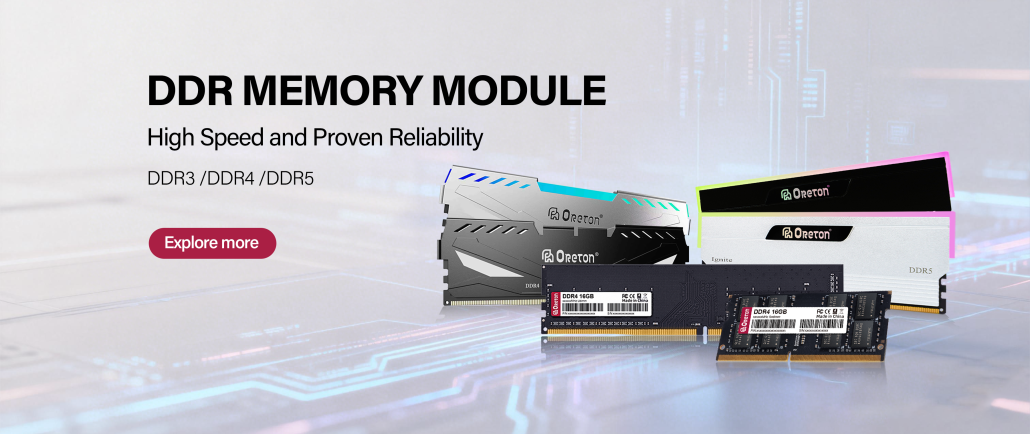
By choosing memory that aligns with real-world applications instead of simply
pursuing the largest specifications, users can build systems that deliver smoother performance, greater productivity, and better long-term value.
Whether you’re upgrading an existing PC or planning a new build, selecting the right memory is one of the smartest investments you can make for a faster, more responsive computing experience.