





Introduzione
When choosing a microSD card for a camera, drone, action camera, or other recording device, speed specifications can be confusing. Product packaging may display several symbols, including U1, U3, V30, and V60, alongside advertised read and write speeds.
These ratings are not interchangeable with a card’s maximum transfer speed. They indicate specific performance requirements, particularly the minimum sustained sequential write speed that a memory card must maintain under defined conditions.
Choosing the right speed class helps ensure that a memory card can keep up with the data generated by a recording device. A card that cannot sustain the required write speed may cause recording interruptions, dropped frames, or recording-mode limitations.
Understanding the differences between U1, U3, V30, and V60 makes it easier to select a card that matches your device, recording settings, and workload without paying for performance you may not need.
1. What Do U1, U3, V30, and V60 Mean?
U1 and U3 belong to the UHS Speed Class system, while V30 and V60 belong to the Video Speed Class system. Both systems help users identify memory cards with a defined minimum sustained write performance.
According to the SD Association, speed class ratings are particularly important for video recording because video data must be written continuously while recording is in progress.
The key difference between these ratings is the minimum sequential write speed they represent.
| Speed Class | Minimum Sequential Write Speed | General Application |
|---|---|---|
| U1 | 10 MB/s | Everyday recording and compatible Full HD workloads |
| U3 | 30 MB/s | Higher-bitrate video and compatible 4K recording |
| V30 | 30 MB/s | Many 4K recording workflows |
| V60 | 60 MB/s | More demanding video workflows requiring higher sustained write performance |
U3 and V30 both indicate a minimum sequential write speed of 30 MB/s, but they belong to different speed class systems. V60 indicates a higher minimum of 60 MB/s.
These figures represent minimum sustained sequential write performance, not guaranteed maximum read speed or peak write speed.
It is also important to distinguish MB/s, which means megabytes per second, from Mbps, which means megabits per second. Since one byte contains eight bits, 30 MB/s is equivalent to 240 Mbps in raw data-rate terms.
For more information about the standards, refer to the SD Association’s speed class standards for video recording.
2. U1 vs U3: What Is the Difference?
U1 and U3 are two levels within the UHS Speed Class system. Their main difference is the minimum sustained sequential write speed they specify.
U1 guarantees a minimum of 10 MB/s, while U3 guarantees a minimum of 30 MB/s under the applicable standard.
This difference matters when a recording device generates more data than a card can consistently write. Higher-bitrate video, longer continuous recording sessions, and some demanding capture modes may require more sustained write performance.
When Is U1 Sufficient?
A U1 card may be suitable for everyday photography, Full HD video recording, and other workloads whose sustained write requirements remain within the card’s capabilities.
For example, a user recording ordinary 1080p video at a moderate bitrate may not need a higher speed class if the camera manufacturer specifies U1 as sufficient.
However, resolution alone does not determine the required card speed. Frame rate, compression format, recording quality, and the camera’s implementation can all affect the amount of data generated.
When Should You Choose U3?
U3 is a more appropriate starting point for many demanding recording applications, including compatible 4K video modes.
It provides a minimum sustained write speed three times that of U1. This additional headroom can help when a device records at a higher bitrate or uses a recording mode that places greater demands on the memory card.
Nevertheless, U3 does not guarantee compatibility with every 4K camera or recording setting. Some high-bitrate or specialized modes may require a higher speed class or a different interface.
The practical rule: Check the recording requirements in your device’s manual before choosing between U1 and U3.
3. U3 vs V30: Are They the Same?
U3 and V30 both specify a minimum sequential write speed of 30 MB/s, so their minimum speed figures are equivalent.
However, they are not the same rating. U3 belongs to the UHS Speed Class system, whereas V30 belongs to the Video Speed Class system.
For buyers, the important question is not simply which symbol looks more advanced. It is whether the card meets the speed class required by the target device and recording mode.
A compatible U3 or V30 card may be suitable for many 4K recording applications, but the device’s specifications take priority over a general recommendation.
The two symbols also do not tell you everything about overall card performance. They do not independently specify the card’s maximum read speed, maximum burst write speed, random-access performance, or performance in every operating condition.
When comparing two cards with the same speed class, other factors may still matter, including interface compatibility, capacity, endurance, and actual performance during sustained recording.
For instance, a card advertised with a maximum read speed of 180 MB/s does not necessarily write video data at 180 MB/s. Maximum read speed and minimum sustained write speed describe different aspects of performance.
Understanding this distinction helps prevent buyers from selecting a card based on the largest number printed on the packaging alone.
4. V30 vs V60: When Do You Need the Higher Rating?
V30 specifies a minimum sustained sequential write speed of 30 MB/s, while V60 specifies 60 MB/s.
The higher minimum write speed makes V60 useful for recording workflows that generate more data continuously. These may include demanding high-bitrate video modes, certain high-frame-rate recordings, and professional workflows that require more sustained write headroom.
However, V60 is not automatically necessary for every 4K recording application. Some 4K modes work well with V30, depending on the camera, codec, frame rate, and bitrate.
Conversely, certain demanding recording modes may require V60 even when the advertised resolution remains 4K.
When Is V30 a Practical Choice?
V30 is a reasonable option for many compatible 4K recording workflows, including everyday video production, travel footage, and supported action-camera recording modes.
It can provide a balance between sustained write performance and card cost when the device does not require a higher speed class.
When Is V60 Worth Considering?
V60 is worth considering when the camera manufacturer specifies it or when the intended recording mode needs sustained write performance beyond the V30 minimum.
It may be particularly relevant to advanced video production, higher-bitrate footage, and other demanding capture workloads.
One important compatibility consideration is the card interface. V60 cards are associated with UHS-II or UHS-III bus interfaces under the SD standard. A device must support the relevant interface and speed class to make full use of the card’s capabilities.
A faster card may still work in a compatible device with a slower interface, but performance can be limited by the host device. Compatibility should always be checked before purchase.
5. How to Choose a Speed Class for Different Devices
The right speed class depends on the device’s recording requirements, not just the device category.
Smartphones and Everyday Video Recording
For everyday recording, a U1 card may be sufficient if the smartphone supports microSD cards and its recording mode does not require a higher class.
Before purchasing, check the phone’s supported card capacity, interface, and recording requirements. Some smartphones do not have a microSD card slot, while others impose specific compatibility limits.
Action Cameras and Drones
Action cameras and drones often record high-resolution footage at elevated frame rates. Their storage requirements can vary significantly between standard recording, high-bitrate 4K, and advanced capture modes.
A U3 or V30 card is a common starting point for compatible 4K workflows. More demanding modes may require V60 or another class specified by the manufacturer.
For extended recording sessions, capacity and sustained write performance should be considered together. A high-capacity card does not compensate for insufficient write speed, and a fast card does not provide more recording time if its capacity is too small.
To explore memory-card options for different recording and device scenarios, visit the Oreton TF card product category.
Digital Cameras and Burst Photography
Photographers should consider both still-image capture and video recording requirements.
During continuous shooting, images are first written into the camera’s buffer and then transferred to the memory card. A faster card can help the buffer clear more quickly and may allow the camera to resume shooting sooner.
However, actual burst performance also depends on the camera’s buffer size, image format, processing speed, and supported memory-card interface. U1, U3, V30, and V60 ratings alone cannot predict how many frames a camera can capture in a burst.
For video recording, use the speed class required by the selected video mode. For photography, also compare actual write performance and camera-specific test results where available.
Dash Cams and Surveillance Devices
Dash cams and surveillance systems may write data continuously and repeatedly overwrite older footage. These workloads place particular emphasis on sustained write performance and endurance.
The required speed class depends on the device’s recording resolution, bitrate, number of streams, and manufacturer specifications. A higher speed class alone does not guarantee a longer service life.
For these applications, buyers should also consider high-endurance card options designed for repeated recording cycles, along with capacity and environmental requirements.
When evaluating a card for a specific device, compare its intended use with the available TF card specifications and product information, then verify that the selected configuration meets the device manufacturer’s requirements.
6. Why Peak Speed Is Not the Same as Sustained Write Speed
One of the most common mistakes when choosing a microSD card is comparing products using only their advertised maximum speed.
A package might advertise a read speed of up to 200 MB/s or a maximum write speed much higher than the card’s speed class. These figures can be useful for certain workloads, but they do not replace the minimum sustained write rating.
Maximum read speed describes how quickly data may be read under specified conditions. Peak write speed describes a maximum write performance figure. Neither number alone establishes how consistently a card can sustain writing during a recording session.
For video recording, consistency matters because the device must continuously transfer incoming data to the card.
If the card cannot keep up with the recording workload, the camera may display an error, stop recording, or restrict certain modes. The exact behavior depends on the device and its firmware.
When comparing cards, evaluate the following factors together:
- Speed class: The minimum sustained sequential write performance represented by U1, U3, V30, or V60.
- Advertised read speed: Relevant to transferring recorded files to a computer, although actual transfer speed also depends on the reader and interface.
- Write performance: Useful for understanding how the card behaves during file transfers and recording workloads, especially when sustained test results are available.
- Interface compatibility: Determines whether the device can use the card’s supported bus mode.
- Endurance and reliability: Particularly important for continuous recording and repeated write cycles.
A card with a higher advertised peak speed is not automatically the better choice if its speed class does not meet the device’s requirements.
7. A Simple Method for Selecting the Right microSD Card
You can simplify the selection process by following these steps.
Step 1: Identify the recording mode.
Determine the resolution, frame rate, codec, and quality setting you plan to use. A camera may support several modes with different storage requirements.
Step 2: Check the manufacturer’s minimum requirement.
Look for the recommended speed class in the user manual or official support documentation. This is more reliable than assuming all 4K modes need the same card.
Step 3: Match the speed class.
Use U1 only when the device and recording mode support it. Consider U3 or V30 for compatible higher-demand recording, and V60 when required by the device or workload.
Step 4: Confirm interface compatibility.
Check whether the device supports the card’s capacity and interface. A higher-rated card cannot force an older host device to operate at a faster bus speed.
Step 5: Consider capacity and endurance.
Estimate how long you need to record between file transfers or card changes. For continuous recording, consider whether the card is designed for repeated write cycles.
Step 6: Test under real operating conditions.
For important recording tasks, test the card using the intended device and recording settings. Verify that recording completes successfully and that the resulting files can be played back without errors.
For commercial devices and embedded applications, a more structured validation process may also include sustained write testing, capacity verification, data integrity checks, and testing under the intended operating conditions. These considerations are especially relevant when selecting storage components for OEM storage solutions, where product compatibility and consistent performance may be important across multiple production batches.
Conclusione
U1, U3, V30, and V60 help users identify memory cards with different minimum sustained sequential write capabilities.
U1 specifies at least 10 MB/s, U3 and V30 specify at least 30 MB/s, and V60 specifies at least 60 MB/s. These ratings help buyers assess whether a card is suitable for a particular recording workload, but they do not replace device-specific compatibility requirements.
For everyday recording, U1 may be sufficient when supported by the device. U3 or V30 is a practical choice for many compatible 4K workflows, while V60 is more appropriate when higher sustained write performance is required.
The best approach is to match the card to the recording mode, check the device manufacturer’s requirements, and consider interface compatibility, capacity, and endurance alongside the speed class.
A well-matched microSD card helps ensure that storage performance supports the recording task rather than becoming a limitation.
Choosing microSD Cards for Different Applications
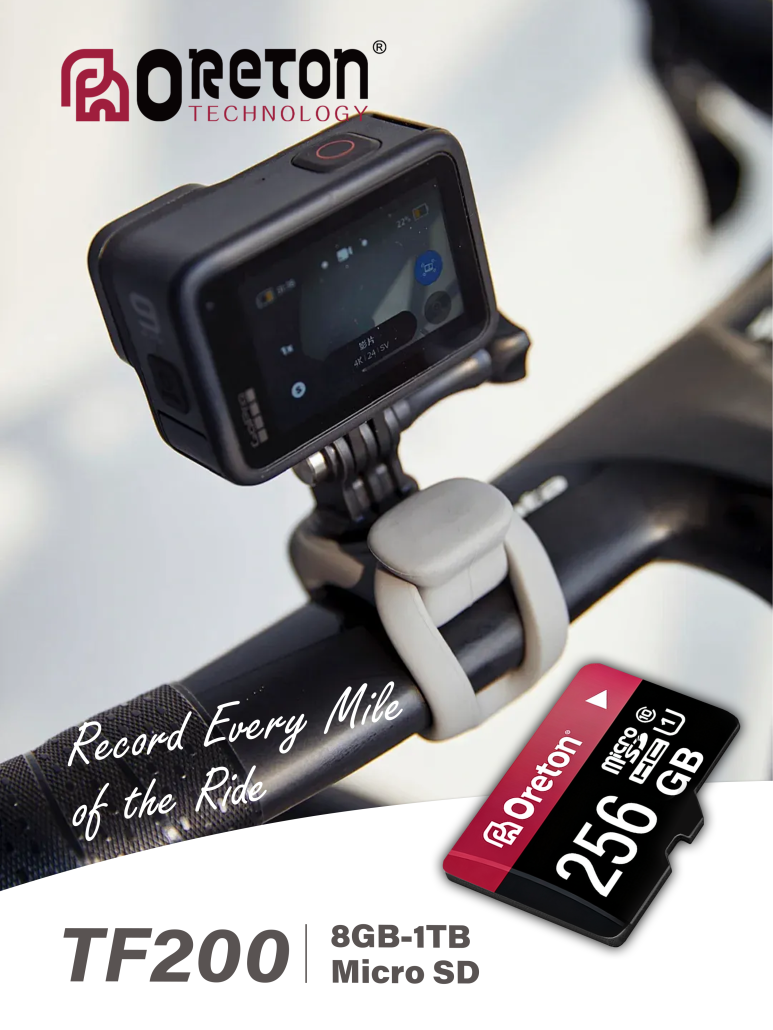
Different applications place different demands on memory cards. Consumer cameras, drones, dash cams, surveillance systems, and embedded devices may require different combinations of capacity, sustained write performance, endurance, and operating-condition support.
For product selection or project qualification, it is important to define the target device and recording workload before choosing a memory-card configuration. This is especially relevant for OEM and industrial applications, where consistent performance and compatibility across production batches may be important.
Oreton provides storage solutions for a range of applications. Learn more about the company’s storage applications and use cases or read about its manufacturing background and quality approach.
To discuss product specifications, application requirements, or potential OEM/ODM projects, visit the Oreton website or contact the team through the Oreton inquiry page.