


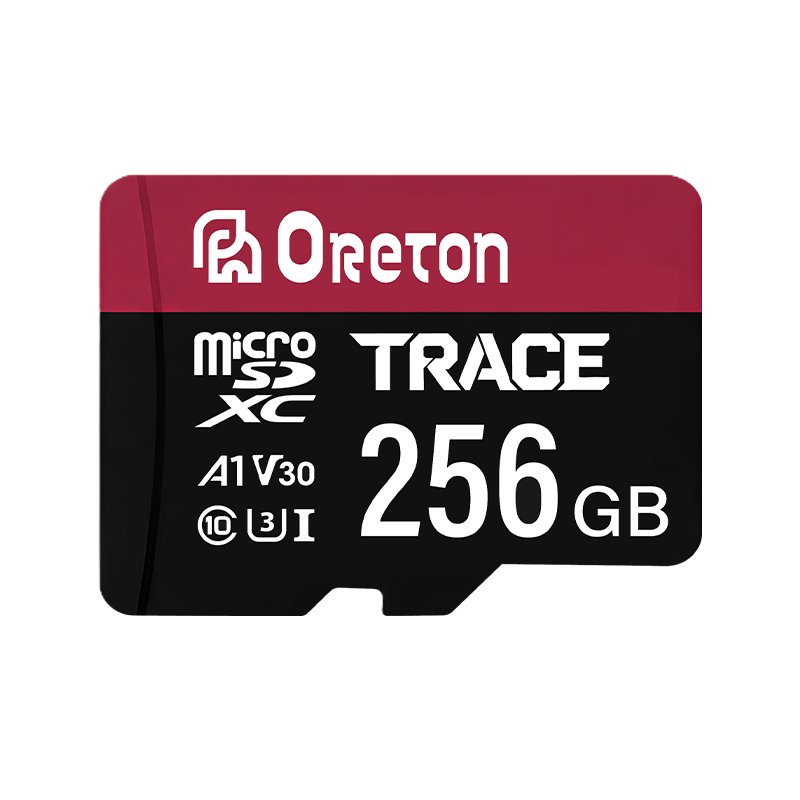


As digital content continues to grow in size, the need for additional storage has become increasingly important. Modern games require more space, high-resolution photos create larger image libraries, and video projects can quickly consume hundreds of gigabytes of storage.
For many users, internal storage alone is no longer enough. External storage devices provide a convenient way to expand available space, transfer large files, and manage digital content across different devices.
However, not every external storage solution is suitable for every task. Gaming, photography, and video creation have different storage requirements, and choosing the right device can make a noticeable difference in everyday workflows.
In this guide, we will explore how to choose external storage for these three common applications, compare portable SSDs and external HDDs, and explain which specifications deserve attention before making a purchase.
1. Understanding the Growing Need for External Storage
The demand for external storage is closely connected to how people use digital devices today.
Games are becoming larger, cameras capture increasingly detailed images, and video content is frequently recorded at higher resolutions and frame rates. Meanwhile, laptops and other portable devices may have limited internal storage or offer expensive upgrade options.
External storage helps address these challenges in several ways:
- Expanding available capacity: Store more games, photos, videos, and project files without immediately upgrading internal storage.
- Transferring large files: Move content between computers and compatible devices more conveniently.
- Creating additional backups: Keep another copy of important personal or professional data.
- Supporting flexible workflows: Carry files between home, office, studio, and other working environments.
The most suitable solution depends on the type of data being handled and how frequently it needs to be accessed.
2. External Storage for Gaming: Expanding Your Game Library
Modern PC and console games can require substantial storage space. Installing several large titles, downloadable content, updates, and additional game files can quickly fill up an internal drive.
External storage offers a practical way to manage a growing game library.
Expanding Storage for PC Gaming
For PC users, an external SSD can provide additional space for game installations, launchers, game backups, and other gaming-related files.
A portable SSD is particularly useful for gamers who want to move their game libraries between compatible computers or keep frequently accessed games on a separate storage device.
However, the gaming experience depends on more than storage capacity.
Important factors include:
- Read performance: Helps determine how quickly game files can be loaded.
- Write performance: Affects installation, updates, and file transfers.
- USB interface: Determines the potential connection bandwidth.
- Game compatibility: Some launchers or titles may require specific installation locations or configurations.
An external SSD can be useful for expanding a PC’s storage, but it does not automatically improve frame rates or replace the performance benefits of a suitable CPU and GPU.
External Storage for Game Consoles
External storage can also help console users manage their game libraries, but compatibility rules differ between platforms.
For example, PlayStation 5 supports compatible external USB drives for storing and playing supported PS4 games. PS5 games can be stored on compatible external USB storage, but they generally need to be copied back to the console’s internal storage or an installed compatible M.2 SSD before they can be played.
Xbox Series X|S also supports external USB storage for managing game libraries. However, many optimized games designed for the latest generation require the console’s internal storage or a compatible expansion card to run.
Therefore, before purchasing an external SSD or HDD for a console, check the platform’s supported storage types, connection requirements, and game compatibility rules.
The key takeaway: External storage can expand your available game library, but the type of drive and the games you can run directly from it depend on your gaming platform.
3. External Storage for Photography: Managing High-Resolution Images
Photography workflows often involve much more than taking pictures. Photographers need to transfer images, organize collections, review selected shots, and maintain backups.
As camera resolutions increase, image files can become larger, particularly when shooting in RAW format.
For photographers, storage requirements are not limited to capacity. Transfer performance and reliable file management are equally important.
Using TF Cards for Image Capture
For cameras and compatible devices, a TF card or SD card serves as the primary recording medium.
Different cards offer different capacities, speed classes, and performance characteristics. When choosing a card, photographers should consider:
- Capacità: How many images can be stored before transferring files?
- Write speed: Can the card support the camera’s continuous shooting or video recording requirements?
- Speed class: Does the card meet the camera manufacturer’s recommended specifications?
- Compatibilità: Does the card match the camera’s supported format and capacity?
For high-resolution photography and continuous shooting, choosing a card with suitable sustained write performance is especially important.
A card that works well for occasional photos may not be sufficient for demanding burst photography or high-bitrate video recording.
Using Portable SSDs for Photo Backup and Editing
Once images have been captured, a portable SSD can provide additional space for transferring and organizing photo libraries.
It is particularly useful for photographers who need to move large collections of RAW images between computers or keep an additional copy of their work while traveling.
A practical workflow may look like this:
- Capture images using a compatible SD or TF card.
- Transfer the files to a computer or portable SSD.
- Organize images by date, project, or location.
- Create another backup on a separate storage device.
- Keep the original camera files until the backup has been verified.
For photographers who travel frequently, a compact portable SSD can make it easier to manage large image collections without carrying multiple laptops or relying entirely on cloud storage.
4. External Storage for Video Creation: Handling Large Media Files
Video production places different demands on storage compared with ordinary document management.
A video file’s size depends on several factors, including resolution, frame rate, codec, compression, and recording bitrate.
For example, 4K footage generally requires more storage than standard 1080p footage, while high-frame-rate or less-compressed video can increase storage requirements even further.
For content creators, storage performance becomes especially important when transferring footage, previewing media, and working with editing projects.
Why Sustained Write Speed Matters
When recording video directly to a storage device, the device must maintain sufficient write performance throughout the recording process.
A storage device with a high advertised peak speed may not maintain that speed during long transfers. This is why sustained write performance is worth checking, especially for demanding recording workflows.
For camera users, it is important to follow the camera manufacturer’s requirements for supported cards and recording formats. Not every camera can record directly to an external SSD, and not every external drive supports every recording mode.
Why Read Speed Matters During Editing
Video editing involves repeatedly accessing source footage, preview files, audio tracks, and other project assets.
A suitable portable SSD can help reduce file transfer and media-loading times compared with slower storage devices, provided the computer and connection interface can support its performance.
For creators who frequently move projects between computers, an external SSD can also provide a convenient way to carry project files and media assets.
A Practical Storage Workflow for Video Creators
A well-organized workflow can make video production easier to manage:
- Capture: Record footage to a compatible camera card or supported external recording device.
- Transfer: Copy original footage to a computer or external SSD.
- Edit: Access project media from storage with suitable read performance.
- Archive: Keep completed project files and important source footage in organized storage.
- Back up: Maintain another copy of important files on a separate device or backup location.
For creators working with large projects, separating active editing storage from long-term backup storage can help improve organization and reduce the risk of losing important content.
5. Portable SSD vs External HDD: Which Is Better for Different Workflows?
Portable SSDs and external HDDs are both useful for expanding storage, but they serve different priorities.
A portable SSD uses NAND flash memory and has no moving mechanical parts. An external HDD uses spinning magnetic platters and mechanical components to store data.
These differences affect their performance, physical design, and typical applications.
| Feature | SSD portatile | External HDD |
|---|---|---|
| Storage technology | NAND flash | Magnetic disk |
| Transfer performance | Generally faster | Generally slower |
| Physical design | Compact and lightweight | Often larger and heavier |
| Moving parts | None | Mechanical components |
| Noise | Silent | May produce operating noise |
| Typical strengths | Fast transfers, active projects, portability | Large-capacity storage and archives |
| Common applications | Gaming libraries, photo transfers, video editing | Backups, archives, large media collections |
When to Choose a Portable SSD
A portable SSD is a suitable choice when performance and portability are important.
It can be useful for:
- Transferring large video and image files.
- Keeping active creative projects accessible.
- Expanding storage on compatible gaming systems.
- Moving data between multiple computers.
- Managing frequently accessed files.
When to Choose an External HDD
An external HDD can be a practical option when large storage capacity and budget are the main priorities.
It is often suitable for:
- Keeping older photo and video collections.
- Archiving completed projects.
- Storing large amounts of data that are not accessed frequently.
- Maintaining an additional backup copy.
Neither option is universally better. Some users may benefit from combining both: a portable SSD for active projects and an external HDD for long-term storage.
6. Choosing the Right Capacity and Connection Interface
Once you have identified the type of storage device you need, the next step is selecting the right capacity and interface.
How Much Storage Capacity Do You Need?
Your storage requirements depend on the size of your files and how long you intend to keep them.
For gaming: Consider the combined size of your installed games, updates, and additional content. If you frequently switch between large titles, extra capacity can reduce the need to uninstall and reinstall games.
For photography: Estimate the average size of your images and the number of photos you expect to capture. RAW files and large image collections can consume storage quickly.
For video creation: Consider recording resolution, frame rate, bitrate, project duration, and the amount of source footage you plan to retain. Video creators often need more capacity than they initially expect.
It is also worth leaving some available space for future projects and temporary files instead of filling a storage device completely.
Understanding USB Connectivity
The connection interface can have a major impact on external storage performance.
Common USB standards include USB 3.2 Gen 1, USB 3.2 Gen 2, and USB 3.2 Gen 2×2, each offering different theoretical bandwidth limits.
However, the actual transfer speed depends on the complete connection:
- The storage device and its controller.
- The USB interface supported by the enclosure.
- The computer or host device’s USB port.
- The cable’s supported specifications.
- The type of files being transferred.
For example, connecting a high-speed external SSD to a slower USB port will limit its performance.
When purchasing a portable SSD or SSD enclosure, check both the device’s interface and the specifications of the computer you plan to use.
7. Tips for Managing and Protecting External Storage
Choosing the right device is only part of a reliable storage strategy. Proper file management and backup habits are equally important.
Keep Multiple Copies of Important Files
External storage devices are convenient, but they should not be treated as the only copy of important data.
A practical approach is to maintain multiple copies of valuable files, with at least one backup stored separately from the primary device.
This is particularly important for photographers and video creators, whose original media files may be difficult or impossible to recreate.
Organize Files Consistently
Create a clear folder structure based on projects, dates, devices, or content types.
Ad esempio:
- Gaming: Game title / Updates / Saved Data
- Photography: Year / Month / Project
- Video: Project / Footage / Audio / Exports
Consistent naming and folder organization make it easier to locate files and manage storage as your collection grows.
Safely Disconnect Storage Devices
Before unplugging an external storage device, use the operating system’s safe removal or eject function when available.
This helps reduce the risk of interrupting ongoing file operations and damaging file system data.
Protect Devices During Transport
Portable storage is frequently moved between locations, so physical protection matters.
Use a protective case when necessary, avoid exposing devices to excessive heat or moisture, and handle connectors and cables carefully.
For important projects, regularly verify that backup copies are complete and accessible.
8. Conclusion: Match Your Storage Solution to Your Workflow
Gaming, photography, and video creation all require additional storage, but their needs are not identical.
For gamers, external storage can help expand a game library and manage installations, although platform compatibility determines which games can run directly from an external drive.
For photographers, memory cards are essential for image capture, while portable SSDs provide convenient space for transferring, organizing, and backing up large image collections.
For video creators, storage capacity, sustained write performance, read speed, and interface compatibility all play important roles in a smooth workflow.
A portable SSD is a versatile option for users who frequently access and transfer large files. An external HDD can complement it by providing additional capacity for long-term archives and backups. Meanwhile, a suitable TF or SD card remains essential for capturing photos and video on compatible devices.
The best storage setup is not necessarily the one with the highest advertised speed or the largest capacity. It is the one that fits your workflow, supports your devices, and helps keep your data accessible and protected.