





Looking Beyond Read and Write Speeds
When comparing SSDs, most buyers naturally focus on one specification: read and write speed.

Whether it’s 3,500 MB/s, 5,000 MB/s, oppure 7.000 MB/s, these numbers are often the first thing displayed on product pages and packaging. Higher numbers appear to promise better performance, making speed an easy benchmark for comparison.
While sequential read and write speeds are certainly important, they tell only part of the story.
For OEMs, system builders, channel partners, and even experienced PC users, a high-quality SSD is defined by far more than its peak benchmark results. Real-world performance depends on a combination of hardware design, controller efficiency, firmware optimization, NAND quality, and long-term consistency.
Understanding these factors helps buyers make more informed decisions and choose storage solutions that deliver reliable performance throughout the product’s lifecycle.
Sequential Speed Is Only One Piece of the Puzzle
The headline speeds printed on an SSD are almost always sequential read and write speeds.
These measurements represent how quickly the drive can transfer large, continuous blocks of data under controlled testing conditions. Examples include copying large video files, transferring backups, or moving disk images.
These workloads are useful for benchmarking, but they don’t represent how most computers are used every day.
Typical desktop activities include:
- Booting the operating system
- Launching applications
- Opening documents
- Loading game assets
- Browsing folders
- Switching between multiple programs
Instead of transferring one large file, these tasks involve thousands of small read and write operations happening simultaneously.
As a result, two SSDs with similar sequential speeds may still feel noticeably different during everyday use.
Peak bandwidth matters—but it isn’t the only factor that determines responsiveness.
Random Performance Has a Bigger Impact on Daily Experience
Unlike sequential workloads, everyday computing relies heavily on random read and write performance.
Operating systems constantly access small files scattered across the drive. Every application launch, software update, browser cache request, and game asset load involves many small operations rather than one continuous transfer.
This is why random performance often has a greater influence on how “fast” a computer feels.
Better random performance can improve:
- System boot responsiveness
- Application launch times
- Prestazioni multitasking
- File indexing
- Game loading behavior
- Overall system responsiveness
For business PCs, education systems, and gaming computers alike, these are the tasks users notice every day.
The SSD Controller: The Brain Behind Performance
If NAND flash is the storage medium, the controller is the SSD’s brain.
Every request sent to the SSD passes through the controller, which is responsible for coordinating virtually every operation inside the drive.
Its responsibilities include:
- Managing data flow
- Livellamento dell'usura
- Garbage collection
- Correzione degli errori
- Cache management
- Gestione termica
- NAND communication
A capable controller doesn’t simply deliver high benchmark numbers—it ensures the drive performs consistently under different workloads.
This is one reason why two SSDs using similar NAND flash can still deliver different real-world experiences.
Controller design influences not only performance, but also stability and long-term reliability.
Firmware Quietly Shapes Everyday Performance
Firmware is often overlooked because it isn’t visible to end users.
Yet it plays an essential role in determining how an SSD behaves over time.
A well-optimized firmware can improve:
- Compatibility across platforms
- Performance consistency
- Background maintenance
- Error handling
- Thermal behavior
- Overall drive stability
Manufacturers frequently release firmware updates to refine algorithms, improve compatibility with new platforms, and address edge-case issues discovered after product launch.
Good firmware helps the hardware perform closer to its full potential throughout its lifespan.
Performance Consistency Is More Important Than Peak Speed
Many benchmark charts measure SSD performance over a very short period.
In real deployments, however, workloads rarely last only a few seconds.
Large software installations, content creation, continuous backups, virtualization, and commercial environments often place sustained demands on storage.
A high-quality SSD should maintain stable performance during extended workloads rather than delivering impressive numbers only at the beginning of a test.
Consistent performance helps ensure:
- Predictable user experience
- Stable application behavior
- Faster large-file transfers
- Reduced performance fluctuations
- Better long-term system reliability
For OEM projects and commercial deployments, consistency often provides greater value than chasing the highest benchmark score.
Thermal Design Also Matters
As SSD performance has increased, thermal management has become increasingly important.
Modern PCIe 4.0 and PCIe 5.0 SSDs can generate significantly more heat than previous generations during sustained workloads.
When temperatures become excessive, many SSDs automatically reduce performance to protect the controller and NAND flash—a behavior commonly known as strozzatura termica.
Effective thermal design helps maintain stable operation by allowing heat to dissipate more efficiently.
Depending on the application, this may involve motherboard heatsinks, integrated SSD heatsinks, or chassis airflow optimization.
Thermal management isn’t just about preventing overheating—it also helps preserve consistent performance over time.
Reliability Begins Long Before the SSD Leaves the Factory
Specifications alone cannot guarantee product quality.
Long-term reliability depends on careful manufacturing processes and rigorous quality control.
Reliable SSD production typically includes:
- Carefully selected components
- Consistent manufacturing processes
- Functional validation
- Compatibility testing
- Stability verification
- Final quality inspection
These procedures help reduce product variation and improve consistency across production batches.
For OEM customers managing large deployments, consistency from one shipment to the next is just as important as the specifications listed on a datasheet.
Choosing an SSD for Real-World Applications
The “best” SSD depends on how it will be used.
A gaming PC values fast loading and responsive asset streaming.
A business workstation prioritizes reliability during daily productivity.
An industrial computer requires consistent operation over extended periods.
A content creation workstation benefits from sustained write performance during large media projects.
Instead of focusing on a single specification, buyers should evaluate storage solutions based on the complete workload they are expected to support.
Looking beyond sequential speeds leads to better purchasing decisions and more balanced system designs.
Conclusione
Read and write speeds remain an important part of SSD performance, but they represent only one aspect of overall drive quality.
A complete evaluation should also consider random performance, controller architecture, firmware optimization, thermal behavior, sustained performance, and manufacturing consistency.
For OEMs, system integrators, and channel partners, these factors often have a greater impact on long-term user experience than peak benchmark numbers alone.
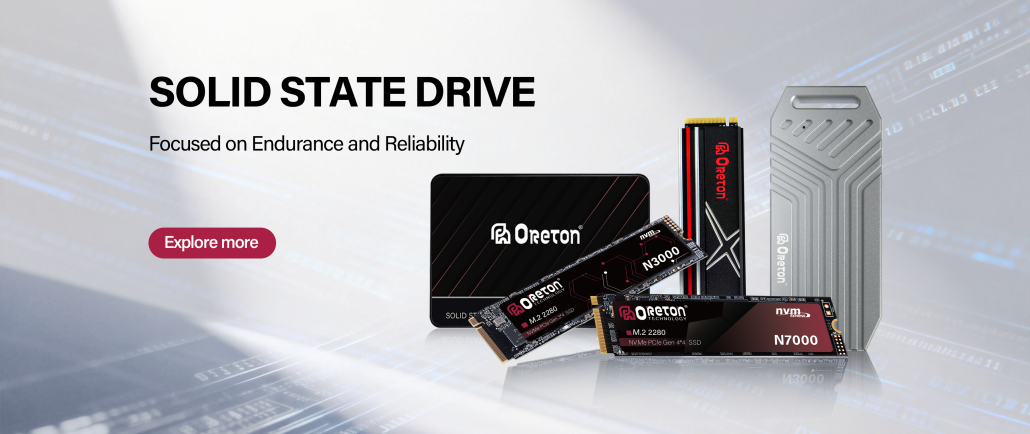
At Oreton, we believe that dependable storage is built through balanced engineering, carefully selected components, thorough validation, and consistent quality control—because in real-world computing, lasting reliability matters just as much as impressive specifications.