




When comparing SSD specifications, you may come across terms such as DRAM cache, SLC cache, DRAM-less, and HMB. Although they all relate to SSD performance, they do not serve exactly the same purpose.
Some SSDs use onboard DRAM to help manage data stored in NAND flash. Others use a portion of their NAND flash as an SLC cache to accelerate incoming write operations. Many modern SSDs combine multiple caching technologies to balance performance, capacity, and cost.
Understanding these mechanisms helps explain why an SSD can deliver impressive benchmark speeds during short transfers but perform differently when handling large amounts of data.
In this guide, we will explain what DRAM cache and SLC cache do, how they differ, and what users should consider when choosing an SSD.
1. What Is DRAM Cache in an SSD?
DRAM cache is a dedicated memory chip installed on some SSDs. It provides fast temporary storage for information that the SSD controller needs when managing data.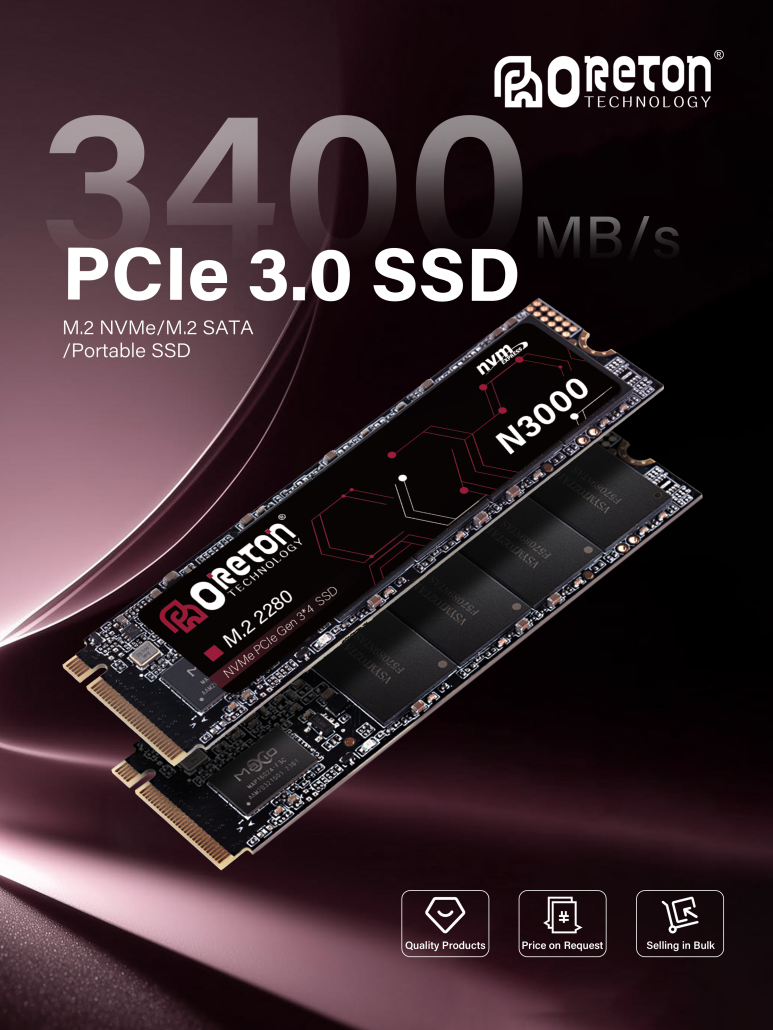
One of its main functions is to store part or all of the Flash Translation Layer (FTL) mapping information.
NAND flash does not work like a conventional hard drive. The SSD controller must translate the logical addresses used by the operating system into the physical locations where data is stored in NAND flash. This address mapping is managed by the FTL.
When an SSD has onboard DRAM, the controller can access frequently needed mapping information from this faster memory instead of repeatedly retrieving it from NAND flash.
This can reduce access overhead and improve responsiveness, particularly in workloads involving frequent random reads and writes.
Depending on the SSD architecture, DRAM may also be used for other internal buffering and management tasks.
How Does DRAM Cache Work?
A simplified process looks like this:
- The operating system sends a read or write request to the SSD.
- The SSD controller interprets the logical address.
- The controller uses its mapping information to locate the corresponding physical NAND location.
- With DRAM available, relevant mapping information can be accessed quickly.
- The controller manages the data operation and communicates with NAND flash.
The important point is that DRAM is not the SSD’s main storage. It is a high-speed working memory that helps the controller manage the actual data stored in NAND.
What Are the Benefits of DRAM Cache?
Faster mapping access: DRAM provides a fast location for frequently used address-mapping information.
Better random-access performance: It can reduce the overhead associated with locating data across NAND flash.
More consistent operation under demanding workloads: Onboard DRAM can be beneficial when an SSD handles frequent random I/O or intensive storage activity.
However, having DRAM does not automatically make an SSD faster in every situation. Overall performance also depends on the controller, NAND type, firmware, interface, capacity, and workload.
2. What Is SLC Cache in an SSD?
SLC cache serves a different purpose from DRAM cache.
SLC stands for Single-Level Cell. In NAND flash, an SLC cell stores one bit of data. This simpler storage method generally allows faster programming than TLC or QLC NAND, which store three or four bits per cell respectively.
However, using SLC NAND for an entire SSD would increase the cost per gigabyte and reduce storage density.
To balance performance and capacity, many SSDs use a technique called pseudo-SLC caching, often shortened to SLC cache.
With this approach, a portion of TLC or QLC NAND is temporarily operated in a one-bit-per-cell mode. Incoming data can be written to this faster area before being reorganized into the drive’s normal storage format.
This creates a faster write buffer without requiring the entire SSD to use dedicated SLC NAND.
How Does SLC Cache Work?
A simplified write process looks like this:
- The computer sends data to the SSD.
- The SSD controller directs incoming data to the available SLC cache.
- Data is temporarily written in the faster SLC-like mode.
- The controller later moves or reorganizes the cached data into the main TLC or QLC storage area.
- The SLC cache becomes available for subsequent write operations.
This process helps SSDs handle short bursts of writes at higher speeds.
For example, when copying a collection of photos or installing software, the transfer may initially run at a high speed because the incoming data fits within the available cache.
However, SLC cache has a limited capacity. If a write operation continues after the cache is full, the SSD may need to write directly to its native TLC or QLC NAND while also managing background data movement.
As a result, write speed can decrease significantly.
3. DRAM Cache vs. SLC Cache: What Is the Difference?
Although both technologies are called caches, they handle different parts of SSD operation.
| Feature | DRAM Cache | SLC Cache |
|---|---|---|
| Main purpose | Helps manage mapping information and internal operations | Accelerates incoming write operations |
| Memory type | Dedicated DRAM chip | NAND flash operating in SLC-like mode |
| Main role | Supports address translation and controller management | Acts as a temporary write buffer |
| Primary benefit | Faster access to mapping information | Higher burst write speed |
| Capacité | Usually relatively small | Can vary by SSD model and available NAND space |
| Limitation | Volatile memory and added hardware cost | Limited buffer capacity; speed may drop after it fills |
The key distinction is simple:
- DRAM cache helps the SSD controller locate and manage data.
- SLC cache helps the SSD accept incoming data at a higher initial write speed.
They are complementary technologies, not interchangeable alternatives.
4. Why Does an SSD Slow Down After the SLC Cache Is Full?
One common SSD performance question is why a drive can start copying files at a very high speed but become much slower during a large transfer.
The SLC cache is often part of the explanation.
When the cache has available space, incoming data can be written using the faster SLC-like mode. Once the available cache is exhausted, the drive must handle more writes through its native TLC or QLC NAND.
This can result in a noticeable change in transfer speed.
For example, imagine copying a 200GB video archive to an SSD. The first part of the transfer may be completed at a high speed, but performance could decrease after the available SLC cache is filled.
The exact speed change depends on the NAND type, controller, firmware, drive capacity, temperature, and workload.
What Affects SLC Cache Capacity?
SLC cache capacity is not the same across all SSDs.
Some models use a fixed cache area, while others use a combination of fixed and dynamic cache.
A dynamic SLC cache can use available NAND space as a temporary write buffer. As the SSD fills up, less free space may remain available for this type of caching.
Other factors include:
- SSD capacity and NAND configuration.
- Whether the cache is static, dynamic, or a combination.
- How much free space remains on the drive.
- Previous write activity and background data management.
- The controller and firmware design.
This is why two SSDs with the same advertised interface speed may show very different sustained write performance.
5. Do DRAM-less SSDs Still Have SLC Cache?
Yes. DRAM-less SSDs can still use SLC cache.
DRAM-less simply means that the SSD does not have a dedicated onboard DRAM chip. It does not mean that the drive has no caching technology.
Depending on the design, a DRAM-less SSD may use:
- Controller SRAM: Small memory integrated into the SSD controller for internal operations.
- Host Memory Buffer (HMB): A supported NVMe SSD can request a small portion of the host computer’s system memory to store mapping information.
- SLC cache: A portion of NAND flash can operate in SLC-like mode to accelerate incoming writes.
HMB and onboard DRAM are not identical. HMB depends on platform and firmware support and uses host system memory over the storage interface. It does not provide the same architecture as a dedicated DRAM chip on the SSD.
These technologies allow manufacturers to design cost-effective SSDs without necessarily sacrificing all aspects of performance.
For everyday tasks such as booting an operating system, opening applications, browsing, and general file access, a well-designed DRAM-less NVMe SSD can offer a responsive experience.
For more demanding workloads involving intensive random I/O or long sustained transfers, the differences between SSD architectures may become more noticeable.
6. Does Having Both DRAM and SLC Cache Make an SSD Faster?
Not necessarily in every workload, but the two technologies can complement each other.
An SSD with onboard DRAM can use that memory to support address mapping and controller operations, while SLC cache can accelerate short-term write activity.
However, neither technology alone determines the drive’s total performance.
Other important factors include:
NAND Flash Type: TLC and QLC NAND have different native performance characteristics and storage densities.
SSD Controller: The controller manages data movement, error correction, NAND channels, and internal operations.
Firmware: Firmware determines how the SSD manages caching, garbage collection, wear leveling, and other background tasks.
Interface: SATA, PCIe 3.0, PCIe 4.0, and PCIe 5.0 have different bandwidth limits.
Drive Capacity: Different capacities within the same product family may use different NAND configurations and cache sizes.
Thermal Conditions: High temperatures can trigger thermal throttling and reduce performance.
Therefore, an SSD with DRAM is not automatically faster than every DRAM-less model. Similarly, a large SLC cache does not guarantee high sustained write speeds after the cache is exhausted.
When comparing products, it is important to look beyond one headline speed specification.
7. How Should You Choose an SSD Based on Its Cache Design?
The right SSD depends on how it will be used.
Everyday Computing
For web browsing, office applications, operating system startup, and general PC use, a well-designed DRAM-less NVMe SSD can be a practical option.
For these workloads, users may not notice a significant difference between every DRAM-equipped and DRAM-less model.
Gaming and General PC Builds
Gaming performance depends on several factors, including game loading behavior, storage latency, CPU performance, and the game’s storage requirements.
A good-quality SSD with or without onboard DRAM can be suitable for many gaming systems. Choosing a drive based only on its cache type may overlook more important factors such as overall performance, capacity, and compatibility.
Large File Transfers and Content Creation
For users who frequently move large video files, work with large project folders, or perform long write operations, sustained write performance deserves more attention.
Check whether the manufacturer provides post-cache write performance information, rather than relying only on the maximum sequential write speed.
A larger available SLC cache may help with short bursts, but native NAND performance becomes increasingly important during long transfers.
Workloads With Frequent Random I/O
Systems that perform intensive database operations, virtual machine activity, or other demanding random-access workloads may benefit from an SSD architecture with onboard DRAM.
However, the appropriate choice still depends on the workload’s actual requirements, endurance expectations, and platform compatibility.
8. What Should You Check When Comparing SSD Specifications?
Before choosing an SSD, consider these factors:
- DRAM configuration: Check whether the SSD includes dedicated DRAM, uses HMB, or relies on another controller architecture.
- NAND type: Identify whether the drive uses TLC or QLC NAND.
- SLC cache design: Look for information about fixed and dynamic cache capacity, if provided.
- Sustained write performance: Check how the drive performs after its write cache is exhausted.
- Capacité : Compare different capacity versions instead of assuming they share the same internal configuration.
- Endurance rating: Review TBW and the manufacturer’s warranty conditions.
- Workload requirements: Consider whether the SSD will mainly handle everyday computing, gaming, or continuous large-file operations.
These details provide a more complete picture of SSD performance than peak sequential read and write speeds alone.
Conclusion
DRAM cache and SLC cache play different but complementary roles in modern SSDs.
DRAM helps the SSD controller manage mapping information and internal operations, while SLC cache provides a faster temporary area for incoming writes. Together, they can help improve responsiveness and short-term write performance.
However, cache capacity is limited, and sustained performance depends on the underlying NAND, controller, firmware, and operating conditions.
When selecting an SSD, do not focus on whether it has DRAM or the size of its SLC cache alone. Consider the complete storage architecture and match the drive to its intended workload.
For more information about SSD technologies and storage applications, explore our storage applications guide. For businesses evaluating storage products for OEM projects, learn more about OEM storage solutions.