





Why local AI workloads are driving demand for larger SSDs, higher memory capacities, and smarter hardware configurations.
Artificial intelligence is no longer a concept reserved for research laboratories or cloud-based services. Over the past two years, AI has become a practical part of everyday computing, transforming the way people write documents, edit photos, develop software, analyze data, and communicate at work.
The launch of AI PCs has accelerated this transition. Hardware manufacturers are introducing processors with dedicated Neural Processing Units (NPUs), operating systems are integrating AI features into daily workflows, and software developers are rapidly adding generative AI capabilities to their applications.
As a result, the conversation around PC hardware is changing.
For years, upgrading a computer usually meant asking a simple question: Is the processor fast enough?
Today, a more important question is emerging:
Can the entire system support modern AI workloads efficiently?
The answer depends not only on the processor, but also on memory capacity, SSD performance, storage space, and the overall balance of the hardware platform.
For distributors, OEM partners, system integrators, and enterprise buyers, understanding these changing requirements is becoming increasingly important when planning future product portfolios.
AI Is Becoming Part of Everyday Computing
Many people still associate artificial intelligence with advanced research or powerful cloud servers.
In reality, AI has already become part of the software millions of people use every day.
Rather than running a single dedicated AI application, today’s users often interact with multiple AI-powered tools throughout their daily workflow without even realizing it.
Writing assistants help draft emails and reports.
Photo editing software removes backgrounds or generates new image content.
Video editing applications automatically recognize objects, remove noise, and create subtitles.
Development tools suggest code in real time.
Office software summarizes meetings and analyzes spreadsheets.
This shift means that AI workloads are becoming continuous rather than occasional, creating new demands on PC hardware.
Real-World AI Applications Are Driving New Hardware Requirements
One of the biggest misconceptions about AI PCs is that only professional AI developers need more powerful hardware.
In reality, many ordinary business users are already running AI-assisted software every day.
Let’s look at some examples.
Microsoft Copilot
Integrated into Windows and Microsoft 365, Microsoft Copilot assists users with document creation, spreadsheet analysis, email writing, meeting summaries, and workflow automation.
While much of the AI processing happens in the cloud, users often keep multiple Office applications, Teams meetings, browsers, and Copilot sessions open simultaneously.
This significantly increases multitasking requirements and places greater demand on system memory.
Adobe Photoshop
Adobe Photoshop has evolved far beyond traditional image editing.
Features such as:
- Generative Fill
- Generative Expand
- AI-powered Object Selection
- Remove Tool
- Neural Filters
allow designers to complete complex editing tasks within seconds.
Although some AI features rely on cloud processing, large source files, temporary caches, and high-resolution assets still require fast SSDs and generous memory capacity for a smooth editing experience.
Adobe Premiere Pro
Modern video editing increasingly relies on AI-assisted tools.
Examples include:
- Auto Reframe
- Speech Enhancement
- Text-Based Editing
- Scene Detection
- Color Matching
Video editing has always required significant storage performance.
AI features now increase both temporary storage usage and memory consumption, making larger NVMe SSDs even more valuable.
DaVinci Resolve
DaVinci Resolve has become one of the most advanced AI-powered video editing platforms.
Its AI tools include:
- Magic Mask
- IntelliTrack
- Voice Isolation
- Auto Captions
- Scene Cut Detection
Projects involving 4K or even 8K video already place heavy demands on storage.
Adding AI-assisted editing further increases the importance of fast SSDs with sufficient free capacity.
GitHub Copilot
Software development is another area experiencing rapid AI adoption.
Developers increasingly rely on GitHub Copilot to:
- Generate code
- Explain functions
- Suggest debugging solutions
- Write documentation
- Improve productivity
However, developers rarely run only one application.
A typical workflow may include:
- Visual Studio Code
- Docker containers
- Local databases
- Multiple browsers
- الأجهزة الافتراضية
- GitHub Copilot
Running all of these simultaneously quickly increases memory usage.
Local AI Tools
Perhaps the biggest hardware change comes from applications that allow AI models to run directly on the user’s computer.
Popular examples include:
- LM Studio
- Ollama
- ChatRTX
Instead of sending every request to cloud servers, these applications load AI models locally.
Depending on the model size, a single AI model may occupy anywhere from several gigabytes to dozens of gigabytes of storage.
Larger models also require significantly more memory.
For users experimenting with local AI, storage capacity becomes just as important as processing power.
Why Memory Requirements Are Increasing
For many years, 16GB of RAM was considered more than enough for mainstream business computers.
That recommendation is beginning to change.
Traditional office workloads usually consisted of:
- البريد الإلكتروني
- Word processing
- Spreadsheets
- تصفح الويب
- Video conferencing
These tasks rarely consumed large amounts of memory simultaneously.
Modern AI-assisted workflows are different.
A user may now have Microsoft Teams running with live transcription, Microsoft Copilot generating meeting summaries, dozens of browser tabs open, Photoshop using AI-powered editing tools, and background synchronization from cloud storage services—all at the same time.
Each application adds incremental memory usage.
While no single application may fully utilize the system, their combined workload often pushes memory consumption far beyond what traditional office environments required.
For this reason, many organizations are beginning to reconsider standard hardware configurations.
Instead of asking whether 16GB is enough today, many IT departments are asking whether it will still be sufficient over the next three to five years.
Increasingly, the answer is no.
Recommended Memory Configurations
Although requirements vary depending on workload, today’s recommendations are gradually shifting.
| نوع المستخدم | Recommended Memory |
|---|---|
| General office work | 16 جيجابايت |
| AI-assisted office productivity | 32 جيجابايت |
| تطوير البرمجيات | 32GB–64GB |
| Graphic design | 32 جيجابايت |
| Video editing | 32GB–64GB |
| Local AI experimentation | 64 جيجابايت فأكثر |
Rather than being considered a premium upgrade, 32GB is quickly becoming the practical choice for many AI-ready business PCs.
Storage Capacity Is Becoming Equally Important
Memory is only part of the story.
Storage requirements are increasing just as rapidly.
Several years ago, many businesses standardized on 256GB SSDs.
Later, 512GB became the preferred configuration.
Today, those capacities can fill surprisingly quickly.
A modern business PC may contain:
- ويندوز 11
- Microsoft Office
- Adobe Creative Cloud
- Development tools
- Collaboration software
- AI applications
- Local AI models
- Cached AI-generated files
- High-resolution media assets
Even without storing large personal files, available storage can disappear much faster than expected.
For many organizations, upgrading from 512GB to 1TB provides greater long-term flexibility while reducing the need for future hardware replacements.
Why SSD Performance Matters Beyond Sequential Speeds
When evaluating SSDs, many buyers naturally focus on sequential read and write speeds. Product pages often highlight impressive figures such as 5,000 MB/s, 7,000 MB/s, or even 14,000 MB/s, creating the impression that higher numbers always translate into a better user experience.
For AI workloads, however, performance is more nuanced.
Unlike copying a single large video file, many AI applications constantly access thousands of smaller files. Loading language models, indexing data, reading cached information, and processing temporary files all rely on random read and write performance, low latency, and consistent responsiveness.
For example, when a local AI application loads a language model through LM Studio or Ollama, the system reads numerous model files before the user can even begin interacting with the AI. During image generation, the software repeatedly accesses temporary cache files, model checkpoints, and output folders. These tasks place different demands on storage than traditional file transfers.
As a result, two SSDs with similar advertised sequential speeds may deliver noticeably different experiences depending on their controller architecture, firmware optimization, NAND flash quality, and sustained performance under continuous workloads.
For business users, reliability and consistency often provide greater long-term value than simply achieving the highest benchmark scores.
PCIe Gen4 Remains the Sweet Spot for Most AI PCs
With PCIe Gen5 SSDs becoming increasingly available, many buyers naturally wonder whether every AI PC should be upgraded to the newest storage generation.
The answer depends on the workload.
PCIe Gen5 undoubtedly offers higher theoretical bandwidth than PCIe Gen4. However, many AI-assisted office applications spend far more time processing data than transferring it from storage.
Applications such as Microsoft Copilot, Adobe Photoshop, GitHub Copilot, or AI-powered office software are rarely limited by sequential SSD bandwidth alone.
Instead, users benefit more from:
- Faster application loading
- Lower latency
- Stable sustained performance
- Adequate storage capacity
- Sufficient system memory
For most commercial deployments, PCIe Gen4 continues to provide an excellent balance of performance, platform compatibility, thermal efficiency, and overall cost.
This is one reason why many OEM projects and enterprise systems continue to standardize on PCIe Gen4 SSDs rather than immediately moving to PCIe Gen5.
Technology leadership is valuable, but balanced system design remains even more important.
Recommended SSD Configurations for Different AI Workloads
Not every AI user requires the same hardware configuration.
Selecting storage based on actual workloads helps businesses control costs while ensuring sufficient performance for future software updates.
| نوع المستخدم | Typical AI Applications | Recommended SSD | Recommended Memory |
|---|---|---|---|
| Office Productivity | Microsoft Copilot, Teams AI, Office AI features | 512GB–1TB PCIe Gen3/Gen4 NVMe | 16GB–32GB |
| Graphic Designer | Photoshop AI, Illustrator AI | 1TB PCIe Gen4 NVMe | 32 جيجابايت |
| Video Creator | Premiere Pro, DaVinci Resolve | 2TB PCIe Gen4 NVMe | 32GB–64GB |
| Software Developer | GitHub Copilot, Docker, Local Databases | 1TB–2TB PCIe Gen4 NVMe | 32GB–64GB |
| Local AI Enthusiast | LM Studio, Ollama, ChatRTX | 2TB PCIe Gen4 NVMe | 64 جيجابايت فأكثر |
| Enterprise AI Workstation | AI-assisted engineering, data analysis | 2TB+ PCIe Gen4 NVMe | 64 جيجابايت فأكثر |
Rather than treating AI as a single use case, businesses should evaluate how AI tools are actually being integrated into day-to-day operations.
AI Is Changing Enterprise Hardware Planning
The growing adoption of AI is also changing how companies plan their hardware refresh cycles.
In the past, many organizations selected computer configurations based primarily on current software requirements.
Today, IT departments are increasingly planning for the next three to five years rather than today’s workload alone.
A PC purchased today may soon need to support:
- AI-powered productivity software
- Local document indexing
- Intelligent search
- Automated meeting summaries
- AI-assisted data analysis
- Creative applications with integrated AI features
This forward-looking approach is encouraging businesses to adopt larger SSD capacities and higher memory configurations from the outset, reducing the need for premature upgrades.
AI Adoption Will Vary Across Different Markets
Although AI PCs are receiving significant attention across the technology industry, adoption is progressing at different speeds around the world.
In some mature enterprise markets, companies are actively investing in AI-ready hardware to support new productivity tools and local AI applications.
In many developing and emerging markets, however, organizations continue to focus on maximizing the value of existing platforms while gradually introducing AI capabilities where they deliver the greatest business benefits.
Brazil provides a good example.
Through ongoing collaboration with local partners, Oreton continues to see strong demand for practical and reliable storage solutions.
Many commercial systems still rely on:
- 2.5-inch SATA SSDs
- PCIe Gen3 and Gen4 NVMe SSDs
- ذاكرة DDR4
These mature platforms continue to provide excellent compatibility and cost-performance advantages for office systems, educational deployments, retail terminals, and commercial upgrades.
At the same time, demand for AI-ready workstations is beginning to grow among software companies, creative professionals, engineering firms, and organizations exploring local AI applications.
This demonstrates an important reality:
AI does not replace existing markets overnight.
Instead, it creates new opportunities while mature platforms continue serving a large installed base of business users.
For distributors and OEM partners, understanding this balance is often more valuable than simply focusing on the newest technologies.
What This Means for OEM Partners and System Integrators
For OEM customers and channel partners, AI represents both an opportunity and a planning challenge.
Rather than offering only high-end flagship products, successful suppliers are increasingly building complete product portfolios designed for different customer needs.
على سبيل المثال:
Entry-Level Business PCs
- 512GB SSD
- 16GB DDR4 or DDR5
- Standard office productivity
AI-Ready Office Systems
- 1TB PCIe Gen4 SSD
- 32GB DDR5
- Microsoft Copilot and AI productivity tools
محطات العمل الاحترافية
- 2TB PCIe Gen4 SSD
- 64GB DDR5
- Content creation, engineering, software development, and local AI applications
This layered approach allows distributors to address a wider range of customers while providing clear upgrade paths as AI adoption continues to expand.
Equally important, OEM customers should consider factors beyond specifications alone.
Stable component sourcing, consistent firmware, rigorous validation, long-term product availability, and reliable technical support all contribute to successful commercial deployments.
As AI becomes part of everyday business computing, consistency and reliability remain just as important as performance.
Looking Beyond Specifications
One of the biggest misconceptions surrounding AI PCs is that faster hardware automatically delivers better AI experiences.
In reality, AI performance depends on the balance of the entire system.
A processor with an integrated NPU cannot fully demonstrate its capabilities if the system is limited by insufficient memory or inadequate storage capacity.
Likewise, upgrading to the fastest PCIe Gen5 SSD may offer little practical benefit if the primary bottleneck is limited RAM or application design.
For many organizations, the most meaningful improvements come from building balanced systems that combine sufficient memory, appropriate storage capacity, dependable SSD performance, and long-term reliability.
Future hardware decisions should therefore be driven by actual workloads rather than specifications alone.
الخاتمة
The rise of AI PCs is changing much more than processor design. It is reshaping the way businesses evaluate storage, memory, and overall system configuration.
As AI-powered applications become integrated into office productivity, creative software, software development, and enterprise workflows, larger SSD capacities and higher memory configurations are becoming increasingly important for maintaining smooth, efficient performance.
At the same time, organizations should remember that there is no universal AI PC specification. The right configuration depends on application requirements, deployment scale, platform compatibility, and long-term business objectives.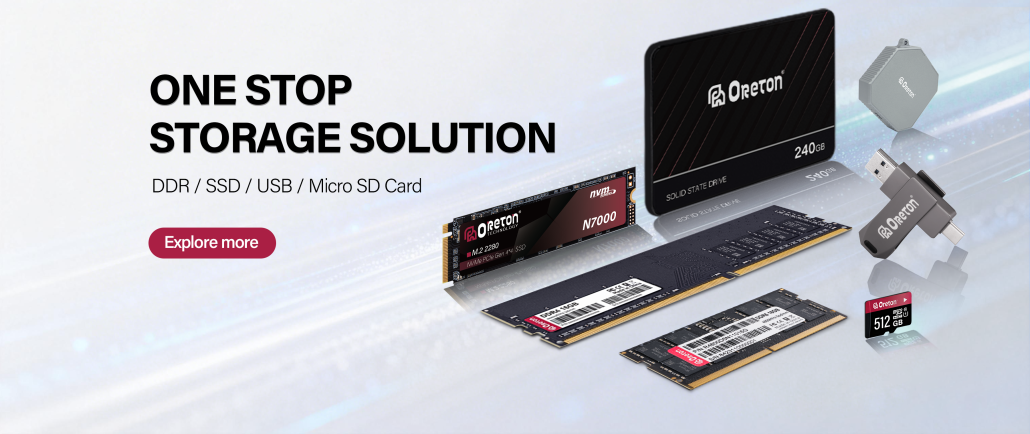
At Oreton, we continue to work closely with distributors, OEM partners, and system integrators around the world to understand how storage and memory requirements are evolving across different markets. Whether supporting mature platforms that continue to rely on dependable SATA SSDs and DDR4 memory or next-generation systems built around PCIe Gen4 SSDs and higher-capacity DDR5 memory, our focus remains the same: delivering reliable, well-balanced solutions that help customers build systems with confidence today while preparing for the AI-driven computing environment of tomorrow.