





When choosing an SSD, many users notice that different capacities within the same product series can have different performance ratings.
For example, a 500GB, 1TB, and 2TB SSD may share the same PCIe interface, but their advertised read and write speeds are not always identical.
Why can a higher-capacity SSD sometimes be faster?
Does a 2TB SSD always outperform a 1TB model?
The answer is not simply “bigger is faster.”
SSD performance is influenced by the underlying NAND configuration, parallelism, SLC cache, controller architecture, firmware, and overall product design.
1. SSD Capacity Does Not Directly Determine Performance
First, it is important to clarify:
SSD capacity itself is not a direct performance specification.
500GB, 1TB, and 2TB primarily indicate how much data the SSD can store.
Actual performance depends on factors such as:
- فلاش NAND
- SSD Controller
- NAND channels
- NAND Die configuration
- SLC Cache
- DRAM or HMB
- Firmware
- Over-Provisioning
A well-designed 500GB SSD can therefore outperform a poorly designed 2TB SSD.
However, when comparing different capacities within the same SSD family, larger models often have a performance advantage.
The reason is usually related to their internal NAND configuration.
2. NAND Parallelism Is One of the Key Factors
One of the advantages of flash storage is that an SSD can access multiple NAND resources in parallel.
In simple terms:
More NAND resources
↓
Higher parallelism
↓
Higher potential throughput
For example, a manufacturer may design a product family where the 500GB model uses fewer NAND resources, while the 1TB and 2TB versions use more.
This can allow the controller to process more data simultaneously.
As a result, higher-capacity versions may achieve higher sequential read and write speeds.
But this does لا mean:
2TB = 2× the performance of 1TB
The actual result depends on the controller, NAND configuration, firmware, and other design factors.
3. NAND Die Count Can Affect Performance
Capacity is also related to the number and organization of NAND Dies inside an SSD.
Two 1TB SSDs can use different NAND configurations.
One design may use fewer, higher-density NAND Dies, while another may use more Dies.
The controller can potentially access multiple Dies simultaneously, increasing the level of parallelism.
لهذا السبب NAND Parallelism is an important factor when analyzing SSD performance.
In general:
More NAND resources
→ Greater parallelism
→ Higher potential throughput
But again, this is a design characteristic—not a rule that applies to every SSD.
4. SLC Cache Can Create Another Performance Difference
SLC Cache is another important factor in SSD write performance.
Many TLC and QLC SSDs use part of their NAND Flash as an SLC cache to provide higher short-term write performance.
For example, during a large file transfer:
Host → SSD Controller → SLC Cache
When sufficient cache space is available, the SSD can maintain relatively high write speeds.
However, once the cache is heavily consumed, data needs to be written directly to the underlying TLC or QLC NAND.
At that point:
SLC Cache becomes full
↓
Write speed may decrease
↓
Sustained write performance becomes more important
This is one reason why peak benchmark results do not always represent real-world performance during large, continuous workloads.
5. Why Can a 2TB SSD Have Better Sustained Write Performance?
This is one of the most interesting differences between capacity versions.
Consider a simplified example of the same SSD family.
500GB
Fewer NAND resources
↓
Potentially lower parallelism
↓
Potentially smaller effective cache configuration
↓
Greater chance of performance reduction during long writes
1 تيرابايت
More NAND resources
↓
Higher potential parallelism
↓
More flexibility in cache configuration
↓
Potentially stronger sustained performance
2 تيرابايت
More NAND resources
↓
Higher potential parallelism
↓
Potentially larger cache capacity
↓
Potentially better sustained write performance
ومع ذلك:
This is a common design trend, not a universal rule.
Different SSDs use different NAND, controllers, firmware and cache strategies, so actual performance must always be evaluated on a product-by-product basis.
6. Why Doesn’t a Short Benchmark Always Show a Big Difference?
If you run a short benchmark such as CrystalDiskMark, the performance gap between 500GB, 1TB and 2TB versions may not be particularly large.
One reason is that:
Short benchmark
↓
SLC Cache is not fully consumed
↓
SSD maintains high peak performance
Therefore, sequential read and write results may look very similar.
The difference can become more noticeable during workloads such as:
- عمليات نقل الملفات الكبيرة
- Long-duration writes
- Game installations
- Video editing
- Large data migrations
- Database workloads
For these applications, sustained write performance can be more meaningful than peak sequential write speed alone.
7. 500GB vs 1TB vs 2TB: Which Should You Choose?
For PC builds, the right capacity depends on both storage requirements and workload.
| القدرة الاستيعابية | Typical Use | General Consideration |
|---|---|---|
| 500GB / 512GB | Office PCs, everyday use, budget builds | Enough for basic workloads; some models may have lower performance |
| 1 تيرابايت | Gaming, mainstream PCs, general-purpose systems | A strong balance between capacity, performance and cost |
| 2 تيرابايت | Gaming libraries, content creation, heavy storage | More capacity and, in some designs, stronger sustained performance |
| 4TB+ | Large game libraries, professional workloads | High capacity for users with substantial storage requirements |
For most modern PC builds:
1TB is a strong all-around starting point.
If you install many games or work with large media files:
2TB can provide more practical headroom.
For budget-oriented systems and everyday workloads:
500GB / 512GB can still be sufficient.
8. Does a Larger SSD Always Mean Better Performance?
لا.
This is one of the most important points to understand.
SSD performance depends on the complete architecture:
فلاش NAND
المراقب المالي
NAND Parallelism
SLC Cache
DRAM / HMB
Firmware
Therefore:
Capacity can influence SSD performance, but capacity alone does not determine performance.
Two SSDs with the same capacity can also deliver significantly different performance depending on their internal architecture.
9. How Should PC Builders Balance Capacity and Performance?
When selecting an SSD for a PC build, don’t simply ask:
“How much storage do I need?”
Consider these factors together:
1. Storage Requirements
How much space do you need for:
- ويندوز
- Applications
- Games
- Photos
- Videos
- Work files
2. Budget
A larger capacity generally increases the total cost, so the goal is to find the right balance.
3. SSD Architecture
Compare:
- NAND type
- المراقب المالي
- Sequential performance
- أداء عشوائي
- SLC Cache
- Sustained write performance
- TBW
- الضمان
This provides a much more complete picture than capacity alone.
10. Why Capacity Design Matters to SSD Manufacturers
From an SSD manufacturer’s perspective, creating different capacity versions is not simply a matter of adding more NAND.
Capacity scaling can involve changes to:
- NAND configuration
- NAND Die count
- Channel utilization
- SLC Cache strategy
- Firmware
- إدارة الطاقة
- Thermal behavior
A well-designed SSD product family therefore needs to maintain a reasonable performance and endurance balance across different capacities.
على سبيل المثال:
512GB → 1TB → 2TB
should address different storage requirements while balancing:
Performance + Endurance + Cost + Power Efficiency + Reliability
الخاتمة
So, does SSD capacity affect performance?
It can—but not because capacity itself makes an SSD faster.
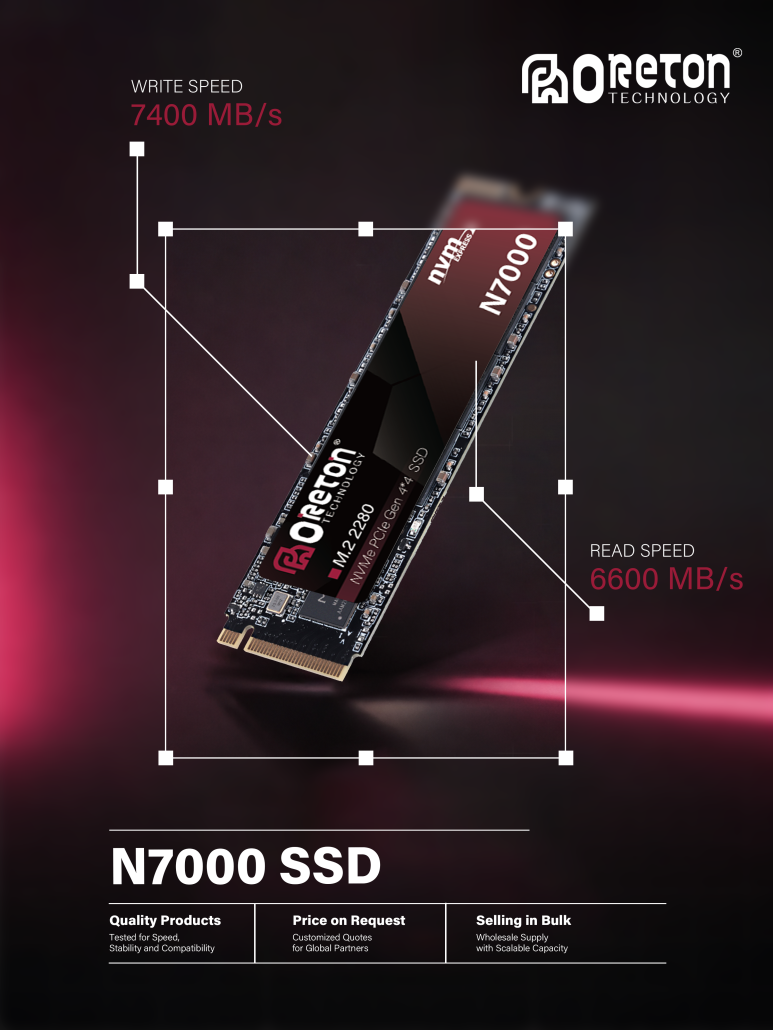
Higher-capacity SSDs can sometimes use more NAND resources, enabling greater parallelism and potentially larger or more effective SLC cache configurations.
As a result, within the same product family:
500GB / 512GB → 1TB → 2TB
may show increasing performance, particularly in sustained workloads.
However, the final result depends on the complete SSD architecture.
When choosing an SSD, don’t only ask:
“How much storage do I get?”
Also ask:
“How is that storage implemented?”
Capacity matters—but NAND configuration, controller architecture, cache strategy and overall design matter just as much.